SANS Holiday Hack Challenge 2019
Security research, CTF writeups, and hacking adventures
KringleCon 2 - Obj 6
6) Splunk
Difficulty: 🎄🎄🎄 (3/5) Access https://splunk.elfu.org/ as elf with password elfsocks. What was the message for Kent that the adversary embedded in this attack? The SOC folks at that link will help you along! For hints on achieving this objective, please visit the Laboratory in Hermey Hall and talk with Prof. Banas.

Professor Banas
Professor Banas:
Hi, I’m Dr. Banas, professor of Cheerology at Elf University. This term, I’m teaching “HOL 404: The Search for Holiday Cheer in Popular Culture,” and I’ve had quite a shock! I was at home enjoying a nice cup of Gløgg when I had a call from Kent, one of my students who interns at the Elf U SOC. Kent said that my computer has been hacking other computers on campus and that I needed to fix it ASAP! If I don’t, he will have to report the incident to the boss of the SOC.
So we go and access the Splunk site to find it has a chat screen where we are already having a conversation with the SOC.
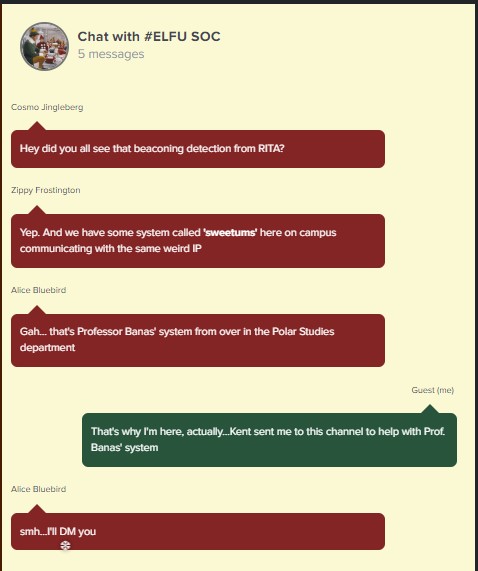
Alice Bluebird is ready to train us in Splunk by helping the SOC answer a few questions about the incident. She gives as some info about the attack, they are related to the RITA Zeek logs we analyzed before and the host’s name is ‘sweetums’
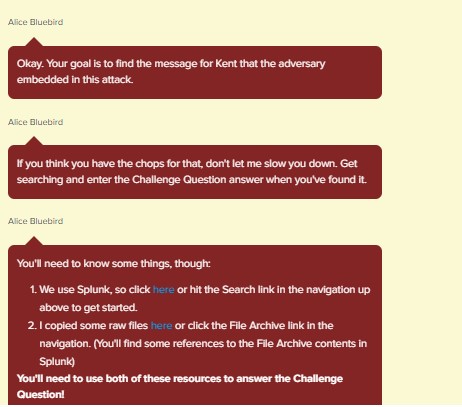
Chat with Alice
Our goal is to find a message embeded in a file, the SOC has an archive of all the files related to the events available on a website.
So the answer for the first Training Question, What is the short host name of Professor Banas’ computer?, can be answer by looking in Splunk for the hostname sweetums and see what users are related to it.
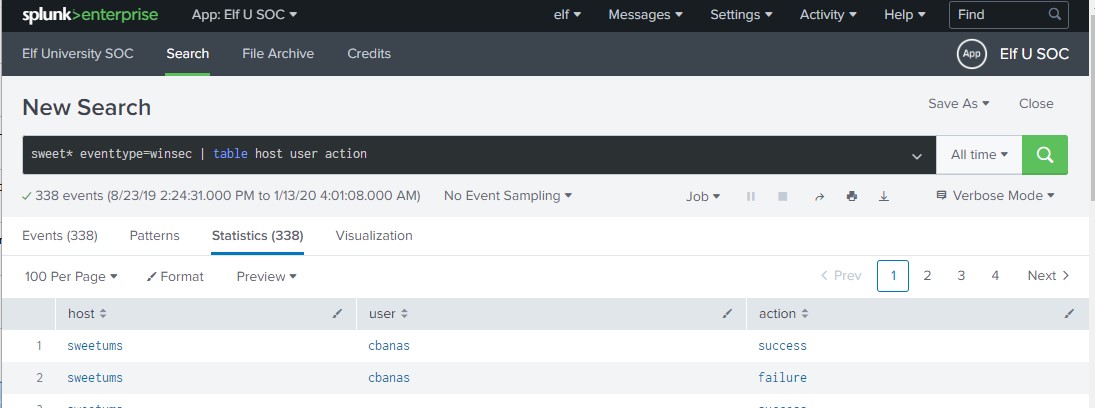
Search for users using the host ‘sweetums’
Prof. Banas user is ‘cbanas’, and is the user related to the host ‘sweetums’, so we have our first training answer.
Training BOT
Training Question 1 Answered Correctly
Now we get a new question.
2. What is the name of the sensitive file that was likely accessed and copied by the attacker? Please provide the fully qualified location of the file. (Example: C:\temp\report.pdf)
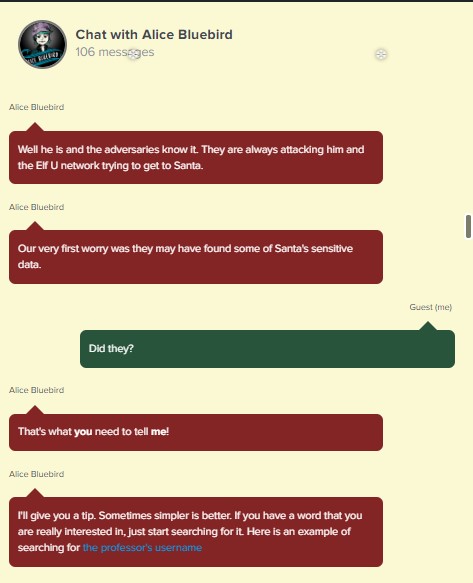
Alice chat for Question 2
Alice gives us the next tip, Prof Banas is very close to Santa, so they were probably exchanging important information, we know from previus engagements with Santa that they most important data the North Pole manages is the Nice and Naughty list, so we see if we can find anything related to that.
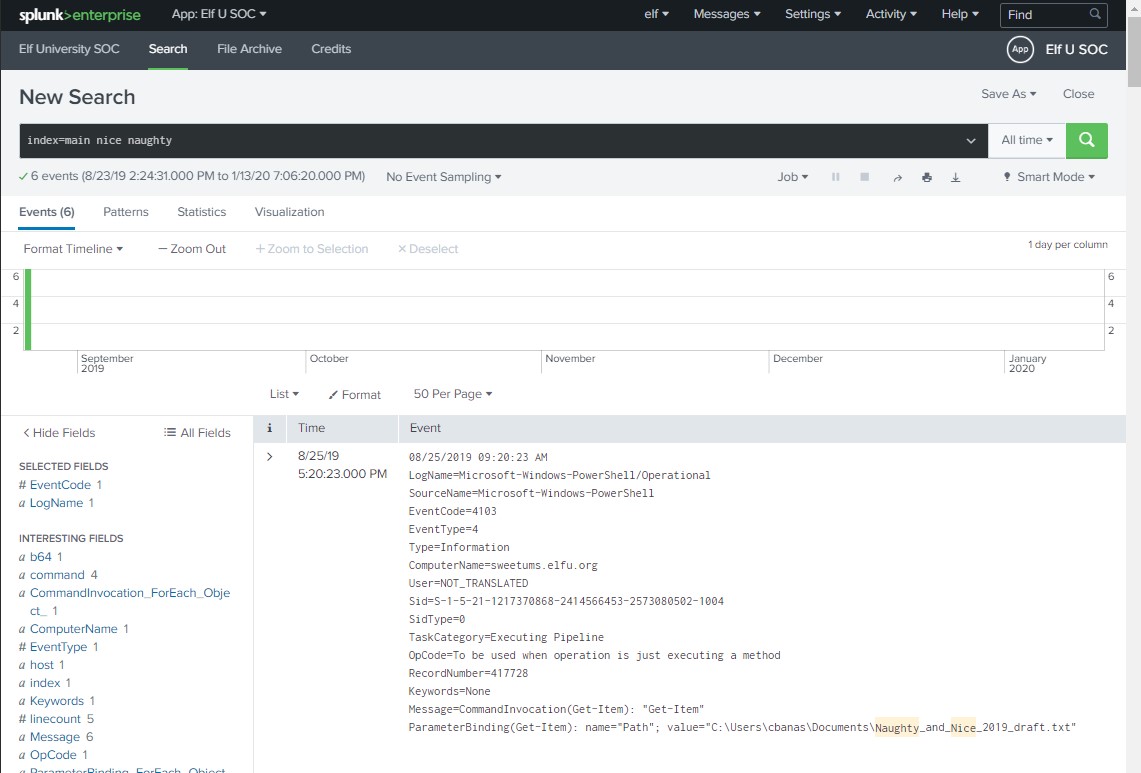
A Draft for a Nice and Naught list was a parameter of a Get-Item PowerShell Commandlet
We actually found a draft list for the Nice and Naughty that has been read by a very strange base64 coded powershell script, so this most be the file Question 2 is referring to.
Training BOT
Training Question 2 Answered Correctly
After answering, Alice tells us that just looking for the string Santa will give us the answer.
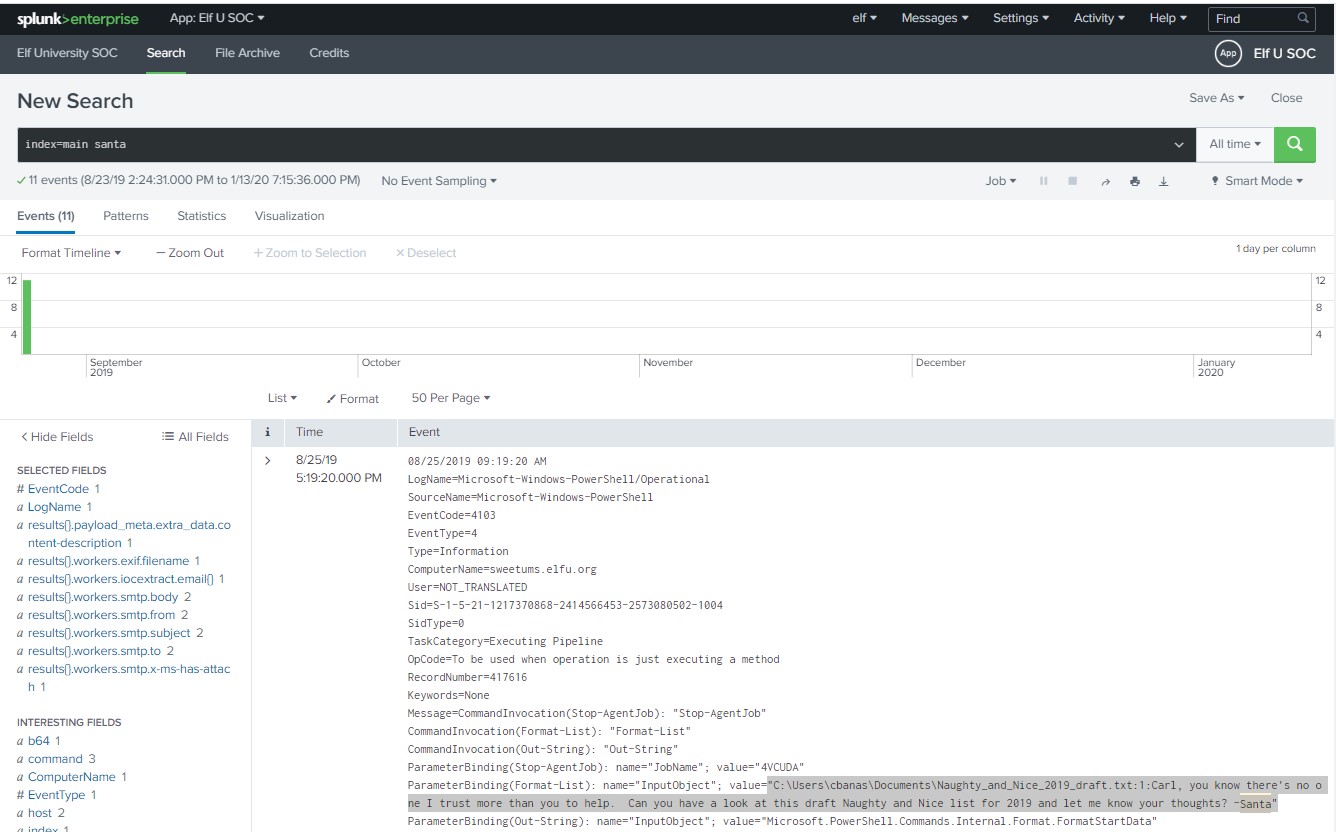
Using Alice’s Splunk Search
Now we move to question 3.
3. What is the fully-qualified domain name(FQDN) of the command and control(C2) server? (Example: badguy.baddies.com)
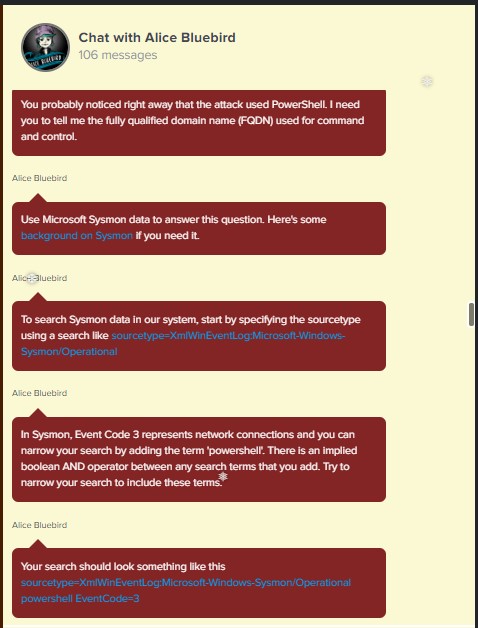
Alice needs us to look for the FQDN of the C&C using the Sysmon logs in Splunk to determine where is the PowerShell connecting. She even provides a link to a blog about Splunk and Sysmon Search string to start our investigation.
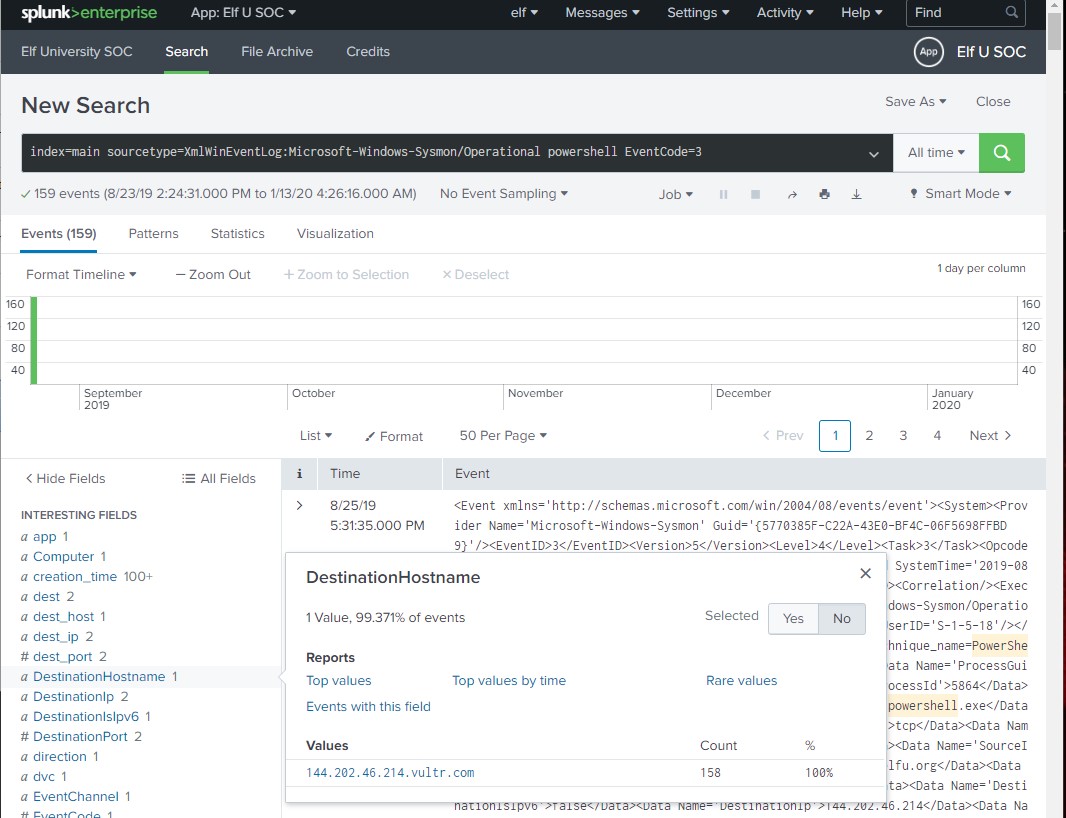
Found FQDN of C&C
And we have found the FQDN of the C&C to answer question 3 - 144.202.46.214.vultr.com
Training BOT
Training Question 3 Answered Correctly
Now we move to Question 4
4. What document is involved with launching the malicious PowerShell code? Please provide just the filename. (Example: results.txt)
The chats start to get longer and very uncomfortable to cut and paste the images, so I’ll just describe what Alice says.
Alice tells us to investigate where did the PowerShell came from and provides a search:
index=main sourcetype=”WinEventLog:Microsoft-Windows-Powershell/Operational”
She wants us to look at the processes’ PIDs and GUIDs but the exact process the information is not all there, we need to pivot on another field, time.
-
Alice Bluebird
Try to find a process ID of interest. Sysmon events are good for that. You should be able to find two different process IDs from Sysmon events in that time window…
-
Alice Bluebird
You need to uncover what launched those processes. If Sysmon Event Code 1 results are not available, try looking for Windows Process Execution events (Event ID 4688). A search to get you started with 4688 logs is sourcetype=WinEventLog EventCode=4688
Alice Bluebird
Keep in mind that 4688 events record process IDs in hexadecimal, so you may need to do some conversion. Remember you should have a couple of process IDs that are interesting. Convert them to hex and search away in the 4688 events. Oh and at this point (when you are searching for 4688 events) go ahead and set your time window back to all time so you don’t miss anything.
Alice Bluebird
You’re looking for a “document” that appears to be involved with kicking off all this PowerShell.
| So I’ve come up with my own search to make the conversion from hex to dec and join the results, and instead of | revers I used | sort - _time because all habits don’t die |
| *index=main process_id=* user=*cbanas* | rename process_id AS pid | join pid max=0 [search index=main sourcetype=WinEventLog EventCode=4688 | eval ppid=tonumber(Creator_Process_ID,16), pid=tonumber(New_Process_ID,16) | table _time ppid Creator* pid New_Process_Name Process_Command_Line Process_Command_Line] | table _time ppid Creator* pid New_Process_Name Process_Command_Line | search New_Process_Name=*powershell* | sort _time* |
This gives us a list of PowerShell processes created and it’s creator sort ascending by time, so the first time a powershell is executed is listed first, this happened 2019-08-25 at 17:38:35.
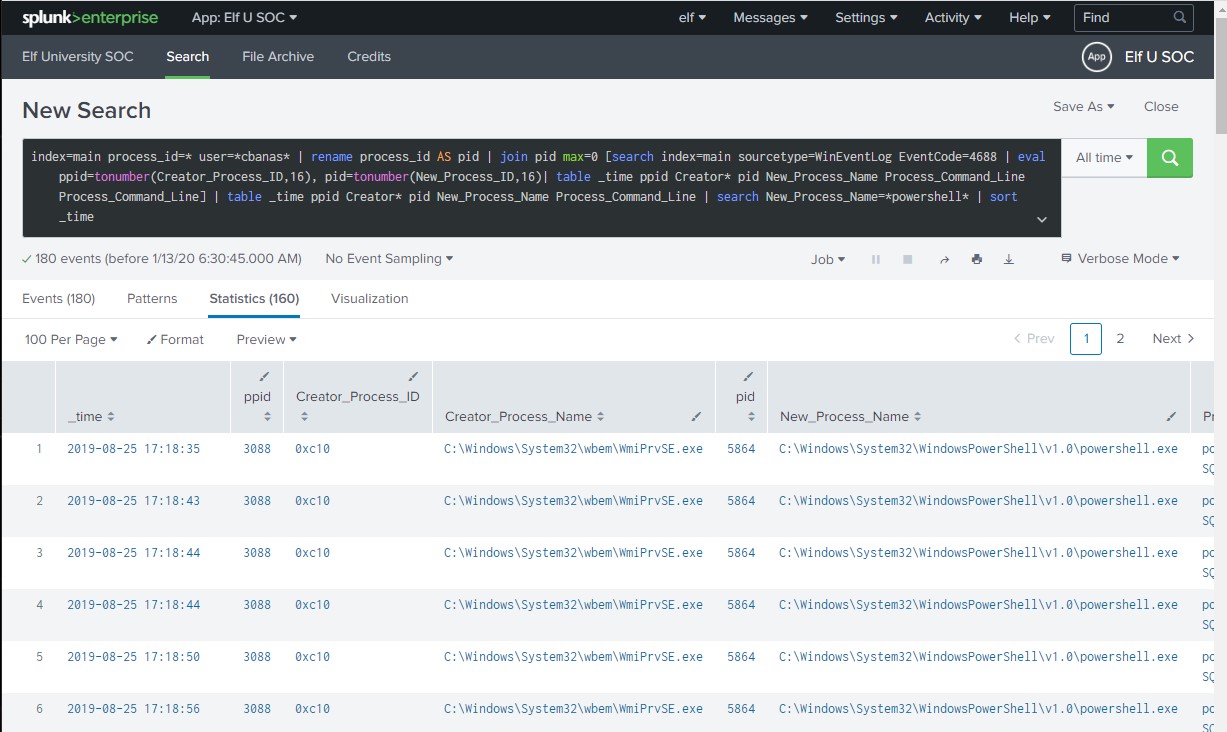
Following Alice’s pivoting tip, we then look for a WINWORD process executed just before the powershell being spawned.
| *index=main sourcetype=WinEventLog EventCode=4688 New_Process_Name=*WINWORD* | eval ppid=tonumber(Creator_Process_ID,16), pid=tonumber(New_Process_ID,16) | table _time Process_Command_Line* |
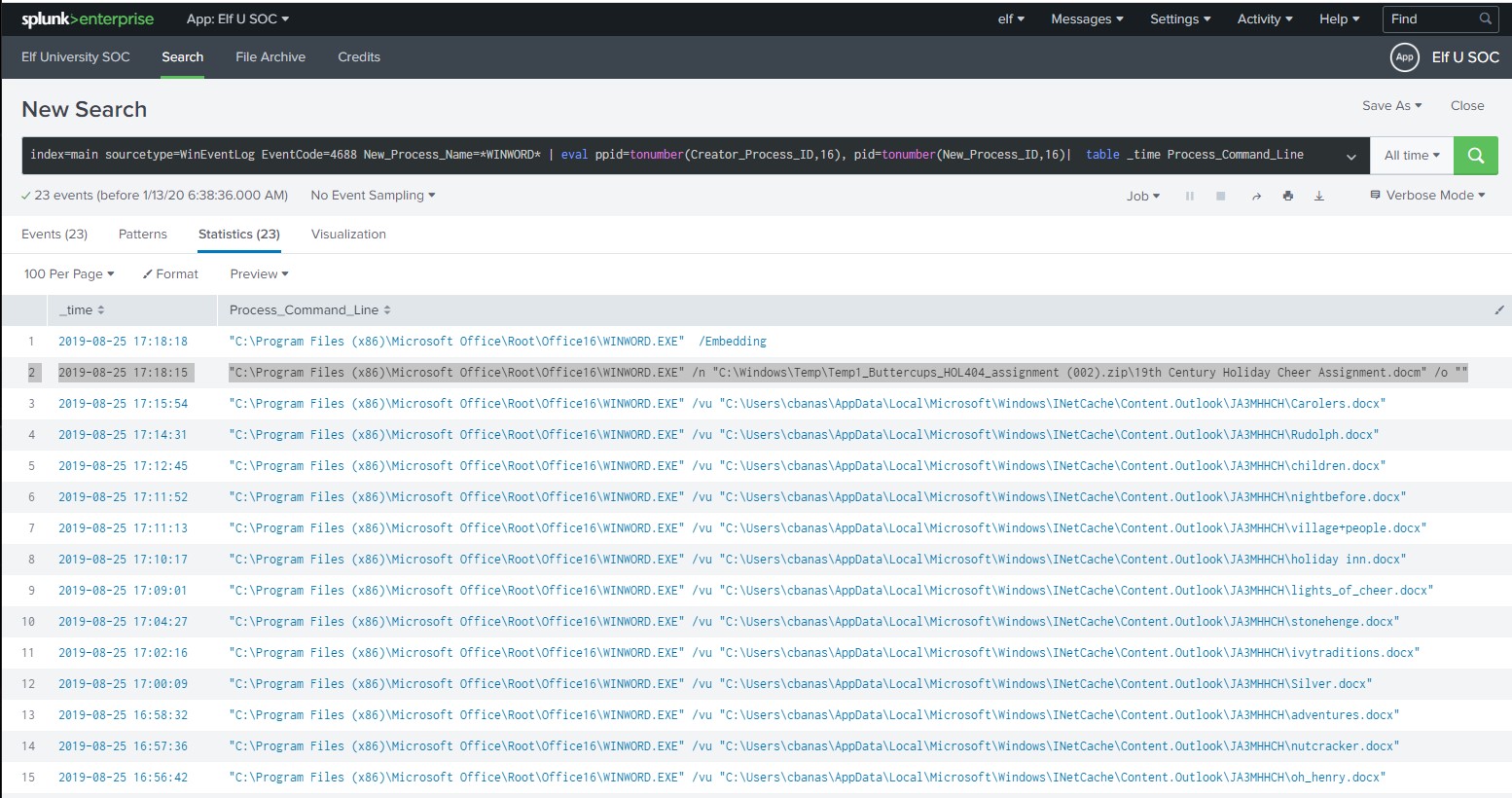
And we find the most probable “document” that started the PowerShell - 19th Century Holiday Cheer Assignment.docm
Training BOT
Training Question 4 Answered Correctly
5. How many unique email addresses were used to send Holiday Cheer essays to Professor Banas? Please provide the numeric value. (Example: 1)
Just by reading the question I know I have to build a search that looks for the strings “Holiday Cheer Essay” that have Professor Banas as the recipient. Luckily Alice gives us more sample searches.
Alice Bluebird
stoQ output is in JSON format, and we store that in our log management platform. It allows you to run powerful searches like this one. Check out those strange-looking field names like results{}.workers.smtp.subject. That’s how JSON data looks in our search system, and stoQ events are made up of some fairly deeply nested JSON. Just keep that in mind.
Alice Bluebird
Okay, time for you to play around with that search and answer the question. You should be aware that Professor Banas was very clear in his instructions to his students: All assignment submissions must be made via email and must have the subject ‘Holiday Cheer Assignment Submission’. Remember email addresses are not case sensitive so don’t double-count them!
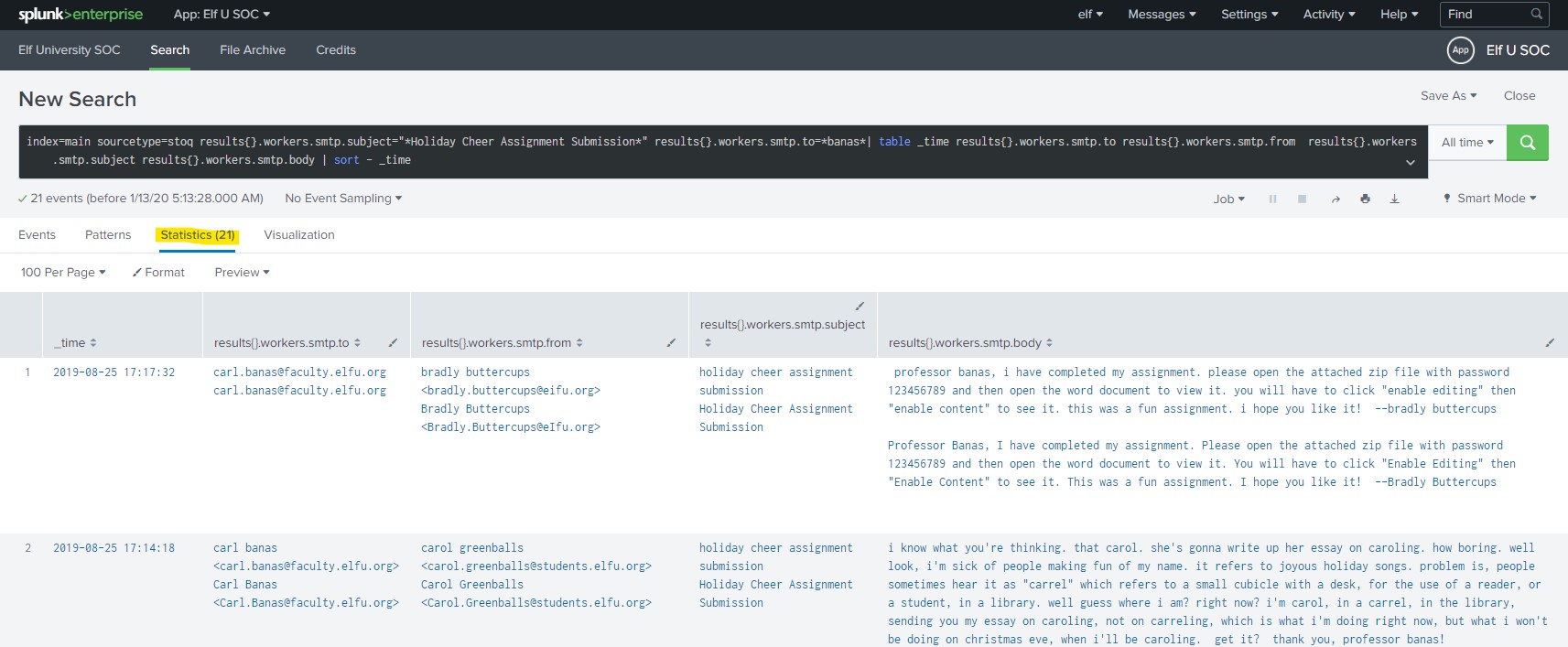
This search gives us a count of 21 emails sent, and that’s the right Answer.
Training BOT
Training Question 5 Answered Correctly
The same search results gives us the answers for questions 6, and 7
6. What was the password for the zip archive that contained the suspicious file?
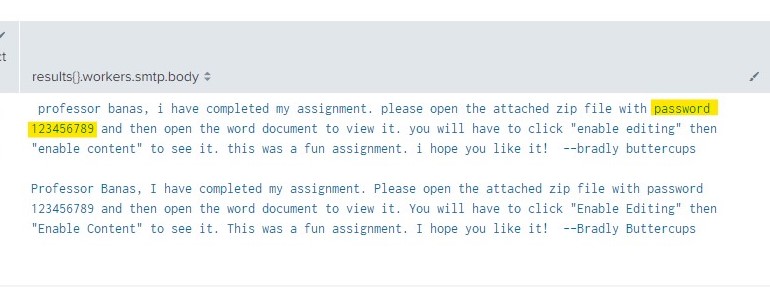
Zip file password
Training BOT
Training Question 6 Answered Correctly
###
- What email address did the suspicious file come from?
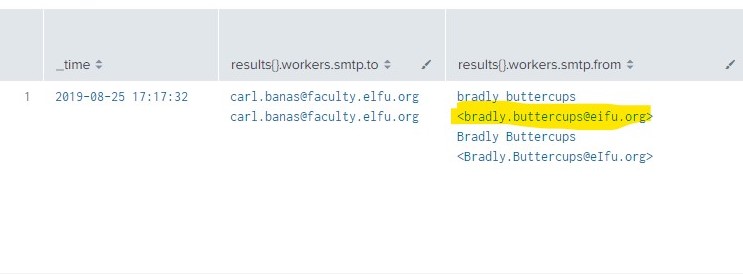
email address found
Training BOT
Training Question 7 Answered Correctly
And now for the challenge question…
What was the message for Kent that the adversary embedded in this attack?
Of course Alice still have tons of help to provide us
-
Alice Bluebird
Well, now you are ready to find the message that the attacker embedded for our friend Kent.
-
Alice Bluebird
Kent missed it, which is not surprising, but Zippy noticed a funny (yet terrifying) message in the properties of the malicious document.
Alice Bluebird
Look, I was not about to put the actual malicious executable content into this training exercise.
-
Alice Bluebird
Remember I provided you with a File Archive. stoQ puts metadata into the log management platform, but it stores the raw artifacts in their entirety in the archive. Use the stoQ events in the search platform to guide your search through the File Archive.
-
Alice Bluebird
Start with this stoQ event
-
Alice Bluebird
Look in the ‘results’ array. Each element contains the name of the file that stoQ extracted in the ‘results->payload_meta->extra_data->filename’ field. And when you find one of interest, use the associated ‘results->archivers->filedir->path’ field to guide you through the File Archive.
-
Alice Bluebird
Yeah but you can use it to your advantage with the Splunk spath command. Add this to the end of that last search I provided.
eval results = spath(_raw, “results{}”) mvexpand results eval path=spath(results, “archivers.filedir.path”), filename=spath(results, “payload_meta.extra_data.filename”), fullpath=path.”/”.filename search fullpath!=”” table filename,fullpath -
Alice Bluebird
Last thing for you today: Did you know that modern Word documents are (at their core) nothing more than a bunch of .xml files?
Alrighty, enough said… we need to look for a core.xml file, let’s use a combination of the searches Alice gave us but including the string password to get files related to the email in question. index=main sourcetype=stoq “results{}.workers.smtp.from”=”bradly buttercups bradly.buttercups@eifu.org” password | eval results = spath(_raw, “results{}”)
-
mvexpand results* -
eval path=spath(results, “archivers.filedir.path”), filename=spath(results, “payload_meta.extra_data.filename”), fullpath=path.”/”.filename* -
search fullpath!=”“* -
table filename,fullpath*

Here we found the path for a core.xml file, we use the File Archive link provided by Alice to enter that path. Note: the path had changed since I took the screenshot and I wrote this post.
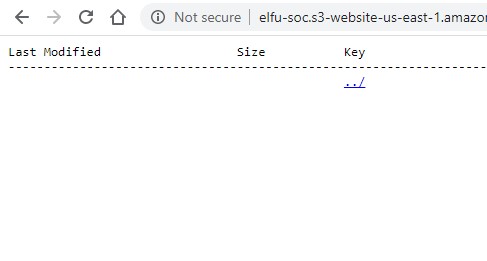
Direct Link
This takes us to an empty folder, we go back 2 directories and find the file to download and examine it.
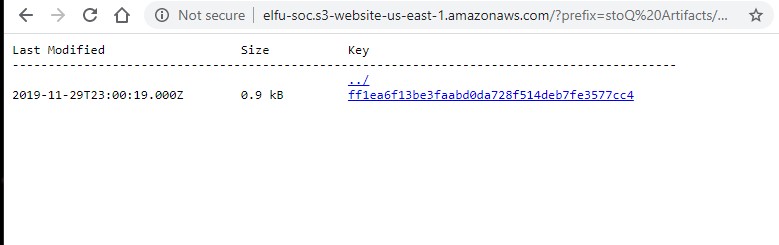
File with the message.

There’s the message and final Answer for the challenge.
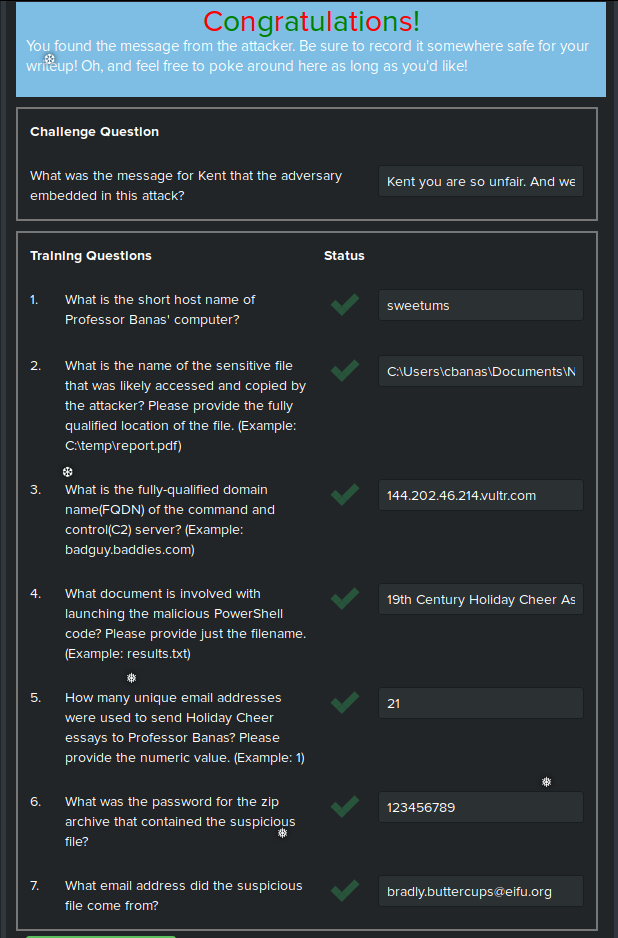
Congratulations!
Training BOT
CHALLENGE QUESTION Answered Correctly
Guest (me)
Oh man that’s pretty embarrassing, eh?
Kent
Oh you again?
Guest (me)
lulz…
Kent you are so unfair. And we were going to make you the king of the Winter Carnival.
Kent
You’ll rue the day.
Guest (me)
Who talks like that?
Professor Banas:
Oh, thanks so much for your help! Sorry I was freaking out. I’ve got to talk to Kent about using my email again… …and picking up my dry cleaning.
← Back to all posts