SANS HHC 2016 - Part 3: A Fresh-Baked Holiday Pi
Security research, CTF writeups, and hacking adventures
SANS Holiday Hack Challenge 2016
Part 3: A Fresh-Baked Holiday Pi
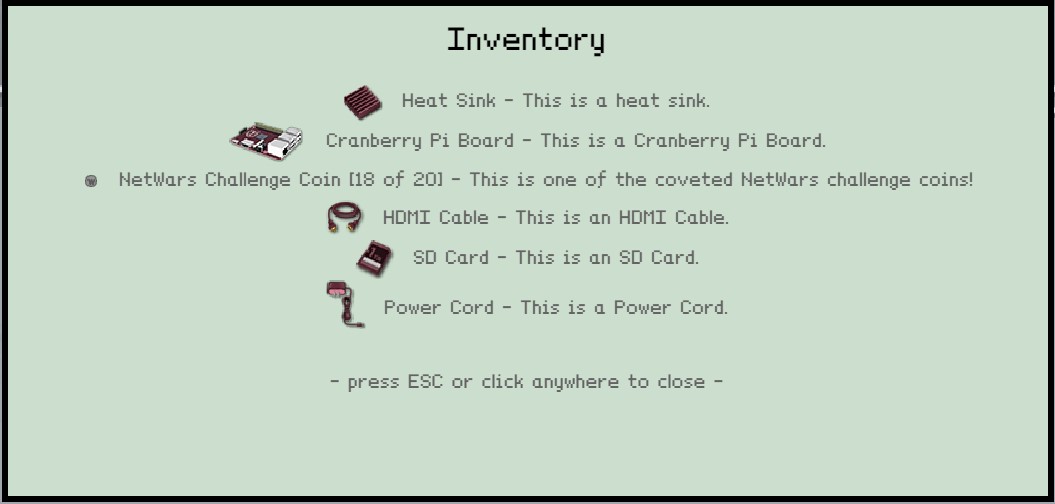
Player Inventory - All pieces of the Cranberry Pi
After finding all the pieces of the Cranberry Pi computer Holly Evergreen provided a link to download the image file from the SD card.
What’s the Cranberry Pi for?
Download the SD image
https://www.northpolewonderland.com/cranbian.img.zip
5) What is the password for the “cranpi” account on the Cranberry Pi system?
I went and talked to Wunorse Opensale, under the tree in the middle of the town, and he had a great tip for working with SD cards images.
How to manage SD images
Following the article, I was able to mount the SD image and looked for the /etc/shadow file
Another elf, Minty Candycane, had a tip about John the Ripper and what password database to use (Rockyou), and that’s what I used to crack the password in about 20 min while I walked through the park collecting NetWar coins J
root@igor-kali:/mnt/etc# john –wordlist=/usr/share/wordlists/rockyou.txt shadow
Warning: detected hash type “sha512crypt”, but the string is also recognized as “crypt”
Use the “–format=crypt” option to force loading these as that type instead
Using default input encoding: UTF-8
Loaded 1 password hash (sha512crypt, crypt(3) $6$ [SHA512 128/128 AVX 2x])
Press ‘q’ or Ctrl-C to abort, almost any other key for status
0g 0:00:00:16 0.04% (ETA: 07:35:40) 0g/s 389.0p/s 389.0c/s 389.0C/s bugger..marilu
0g 0:00:00:19 0.04% (ETA: 07:36:11) 0g/s 390.1p/s 390.1c/s 390.1C/s pheonix..Samantha
0g 0:00:05:20 0.69% (ETA: 08:09:37) 0g/s 369.2p/s 369.2c/s 369.2C/s digimate..death7
0g 0:00:12:41 1.74% (ETA: 07:25:29) 0g/s 385.5p/s 385.5c/s 385.5C/s serena5..selena9
yummycookies (cranpi)
1g 0:00:19:23 DONE (2016-12-12 19:37) 0.000859g/s 390.5p/s 390.5c/s 390.5C/s yveth..yulyul
Use the “–show” option to display all of the cracked passwords reliably
6) How did you open each terminal door and where had the villain imprisoned Santa?
Itchy’s /out.pcap file
I took the long way around to solve this one because I didn’t check for a few basic things first, that’s on me.
I will give you the quick answer instead of going through the process I went. At some point I will share my write up where you can find all the details.
The PCAP file is in read only mode for the itchy user, so we need some kind of privilege change mechanism to read it.
First check sudo permissions:
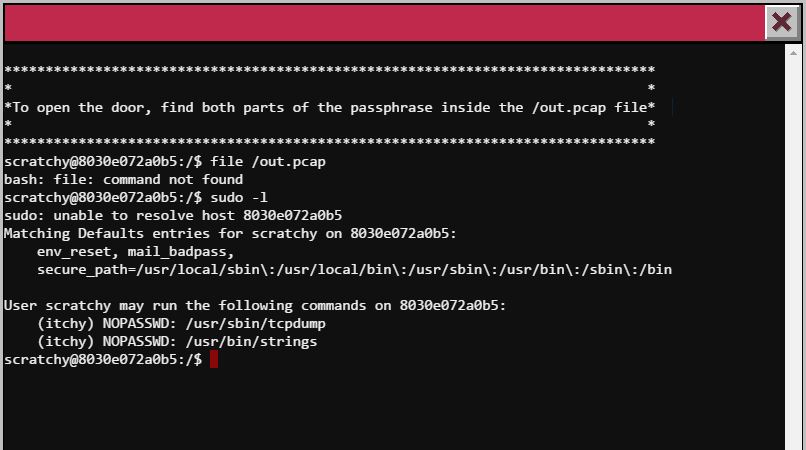
SUDO Permissions (sudo -l)
So, scratchy, our username, can execute 2 commands as itchy tcpdump and string
We do a tcpdump first
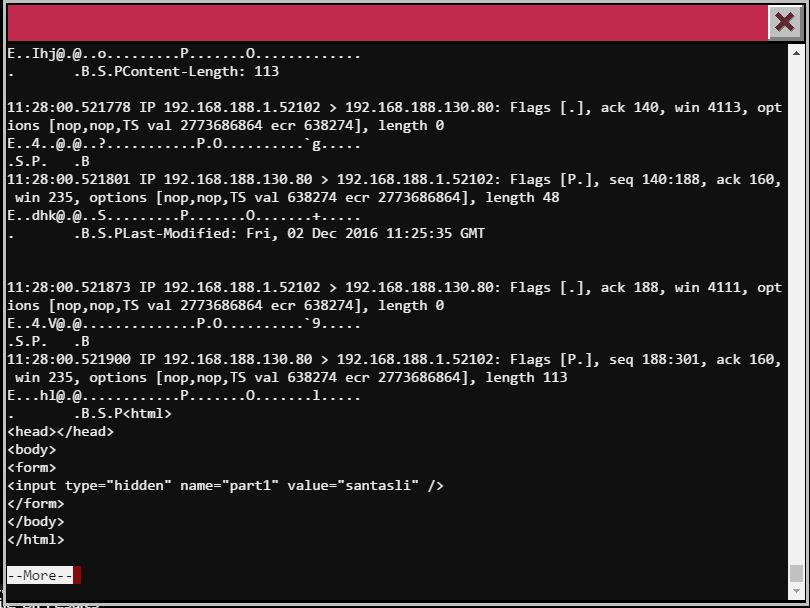
Part 1 of the password
Now part two of the password required to use the string command, I know this because tcpdump shows a binary file was downloaded with HTTP.
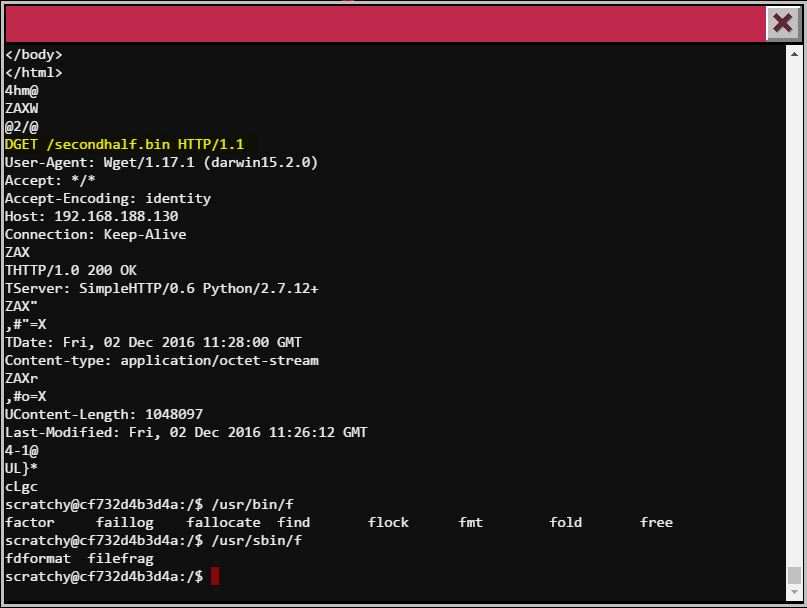
strings ouput
This is not showing me much either, it’s the same thing tcpdump showed me.
The file command is missing in this terminal, that would’ve help solve this quicker.
So playing with the strings command we found different options
$ strings --help

Usage: strings [option(s)] [file(s)]
Display printable strings in [file(s)] (stdin by default)
The options are:
-a - –all Scan the entire file, not just the data section [default]
-d –data Only scan the data sections in the file
-f –print-file-name Print the name of the file before each string
-n –bytes=[number] Locate & print any NUL-terminated sequence of at
-
-t –radix={o,d,x} Print the location of the string in base 8, 10 or 16
-o An alias for –radix=o
-T –target=
-e –encoding={s,S,b,l,B,L} Select character size and endianness:
s = 7-bit, S = 8-bit, {b,l} = 16-bit, {B,L} = 32-bit
@
-h –help Display this information
-v -V –version Print the program’s version number
strings: supported targets: elf64-x86-64 elf32-i386 elf32-x86-64 a.out-i386-linux pei-i386 pei-x86-64 elf64-l1om elf64-k1om elf64-little elf64-big elf32-little elf32-big pe-x86-64 pe-i386 plugin srec symbolsrec verilog tekhex binary ihex
Report bugs to http://www.sourceware.org/bugzilla/
And the one that gave me the result was strings -e l to change the encoding to little-endian
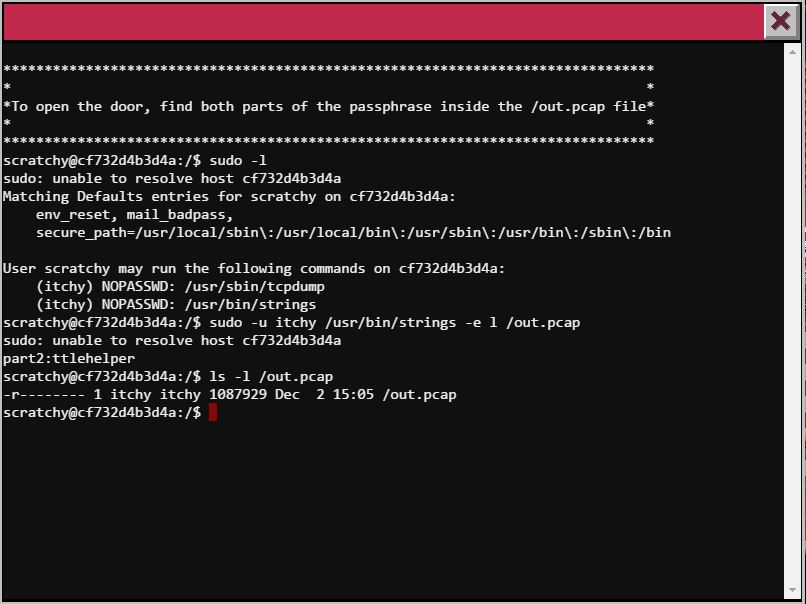
Second half found
So the password is santaslittlehelper
I managed to make a copy of the pcacp file to my machine and this is what the file command returns
root@igor-kali:~/hhack2016# file out.pcap
out.pcap: tcpdump capture file (little-endian) - version 2.4 (Ethernet, capture length 262144)
The tcpdump file is in little-endian
The File Deep down
Ok, let’s run a find . -type f
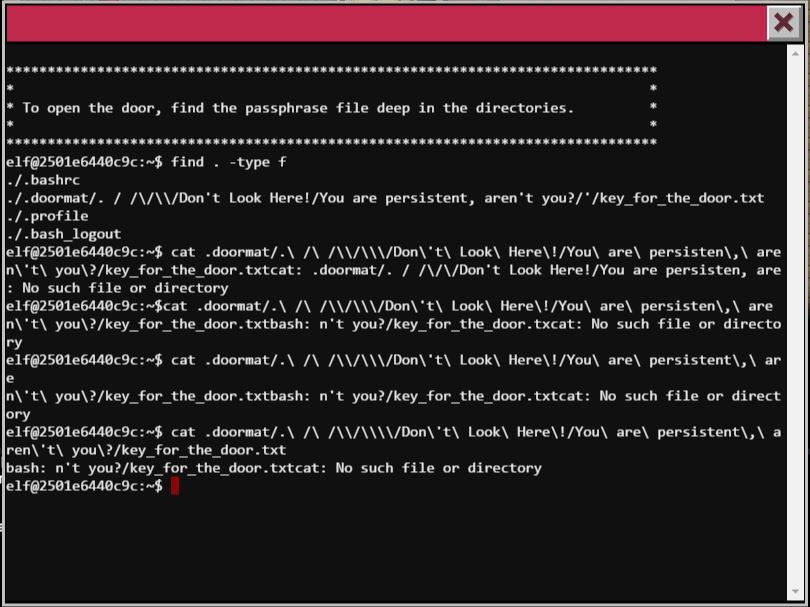
find deep down
I type the path wrong several times, and my find command kung fu is not as good, so I just decided to go all the way there….
Care for a ride?
Here we go…
elf@4f0fa5334794:~/.doormat/. $ ls

   bin  not_here


```text
elf@4f0fa5334794:~/.doormat/. $ cd bin

elf@4f0fa5334794:~/.doormat/. /bin$ ls

elf@4f0fa5334794:~/.doormat/. /bin$ ls -al
total 8

drwxr-xr-x  2 root root 4096 Dec  6 19:39 .

drwxr-xr-x 16 root root 4096 Dec  6 19:40 ..


```text
elf@4f0fa5334794:~/.doormat/. /bin$ cd ..

elf@4f0fa5334794:~/.doormat/. $ cd not_here

elf@4f0fa5334794:~/.doormat/. /not_here$ ls -al
total 8

drwxr-xr-x  2 root root 4096 Dec  6 19:39 .

drwxr-xr-x 16 root root 4096 Dec  6 19:40 ..


```text
elf@4f0fa5334794:~/.doormat/. /not_here$ cd ..

elf@4f0fa5334794:~/.doormat/. $ l s-al
bash: l: command not found

elf@4f0fa5334794:~/.doormat/. $ ls -al

total 20

drwxr-xr-x 14 root root 4096 Dec  6 19:40

drwxr-xr-x 16 root root 4096 Dec  6 19:40 .

drwxr-xr-x 18 root root 4096 Dec  6 19:40 ..

drwxr-xr-x  2 root root 4096 Dec  6 19:39 bin

drwxr-xr-x  2 root root 4096 Dec  6 19:39 not_here


```text
elf@4f0fa5334794:~/.doormat/. $ cd \

elf@4f0fa5334794:~/.doormat/. / $ ls
\ opt var
elf@4f0fa5334794:~/.doormat/. / $ ls -al
total 20

drwxr-xr-x 14 root root 4096 Dec  6 19:40 .

drwxr-xr-x 16 root root 4096 Dec  6 19:40 ..

drwxr-xr-x 12 root root 4096 Dec  6 19:40 \\

drwxr-xr-x  2 root root 4096 Dec  6 19:40 opt

drwxr-xr-x  2 root root 4096 Dec  6 19:39 var


```text
elf@4f0fa5334794:~/.doormat/. / $ cd \

elf@4f0fa5334794:~/.doormat/. / /\$ ls
\ ls santa
elf@4f0fa5334794:~/.doormat/. / /$ ls -al
total 20

drwxr-xr-x 12 root root 4096 Dec  6 19:40 .

drwxr-xr-x 14 root root 4096 Dec  6 19:40 ..

drwxr-xr-x 10 root root 4096 Dec  6 19:40 \\\\

drwxr-xr-x  2 root root 4096 Dec  6 19:40 ls

drwxr-xr-x  2 root root 4096 Dec  6 19:40 santa


```text
elf@4f0fa5334794:~/.doormat/. / /\$ cd \\

\> \

\> ^C


```text
elf@4f0fa5334794:~/.doormat/. / /\$ cd \\

elf@4f0fa5334794:~/.doormat/. / /\/\$ ls
Don't Look Here!  holiday  temp


```text
elf@4f0fa5334794:~/.doormat/. / /\/\$ cd Don\'t\ Look\ Here\!

elf@4f0fa5334794:~/.doormat/. / /\/\/Don't Look Here!$ ls -al
total 20

drwxr-xr-x  8 root root 4096 Dec  6 19:40 .

drwxr-xr-x 10 root root 4096 Dec  6 19:40 ..

drwxr-xr-x  6 root root 4096 Dec  6 19:40 You are persistent, aren't you?

drwxr-xr-x  2 root root 4096 Dec  6 19:40 files

drwxr-xr-x  2 root root 4096 Dec  6 19:40 secret


```text
elf@4f0fa5334794:~/.doormat/. / /\/\/Don't Look Here!$ cd secret

elf@4f0fa5334794:~/.doormat/. / /\/\/Don't Look Here!/secret$ ls

elf@4f0fa5334794:~/.doormat/. / /\/\/Don't Look Here!/secret$ ls -al
total 8

drwxr-xr-x 2 root root 4096 Dec  6 19:40 .

drwxr-xr-x 8 root root 4096 Dec  6 19:40 ..


```text
elf@4f0fa5334794:~/.doormat/. / /\/\/Don't Look Here!/secret$ cd ..

elf@4f0fa5334794:~/.doormat/. / /\/\/Don't Look Here!$ cd You\ are\ persistent\,\ aren\`t\ you\?
bash: cd: You are persistent, aren`t you?: No such file or directory
elf@4f0fa5334794:~/.doormat/. / /\/\/Don't Look Here!$ cd You\ are\ persistent\,\ aren\'t\ you\?

elf@4f0fa5334794:~/.doormat/. / /\/\/Don't Look Here!/You are persistent, aren't you?$ ls -al
total 20

drwxr-xr-x 2 root root 4096 Dec  6 19:40 '

drwxr-xr-x 6 root root 4096 Dec  6 19:40 .

drwxr-xr-x 8 root root 4096 Dec  6 19:40 ..

drwxr-xr-x 2 root root 4096 Dec  6 19:40 cookbook

drwxr-xr-x 2 root root 4096 Dec  6 19:40 temp


```text
elf@4f0fa5334794:~/.doormat/. / /\/\/Don't Look Here!/You are persistent, aren't you?$ cd \'

elf@4f0fa5334794:~/.doormat/. / /\/\/Don't Look Here!/You are persistent, aren't you?/'$ ls -al
```
total 12
drwxr-xr-x 2 root root 4096 Dec 6 19:40 .
drwxr-xr-x 6 root root 4096 Dec 6 19:40 ..
-rw-r–r– 1 root root 17 Dec 6 19:39 key_for_the_door.txt
elf@4f0fa5334794:~/.doormat/. / /\/\/Don’t Look Here!/You are persistent, aren’t you?/’$ cat key_for_the_door.txt
key: open_sesame
The Wumpus
I have no idea… but I killed the wumpus and got the passphrase
I saw the “or cheat;” and took that as a hint, since a “;” could be used for Command Injection in some cases.
I honestly was throwing random inputs to the actions as you can see in the screenshots, then I press Enter a bunch of times and decided to throw an arrow with “s1” and I killed the wumpus ¯\_(ツ)_/¯
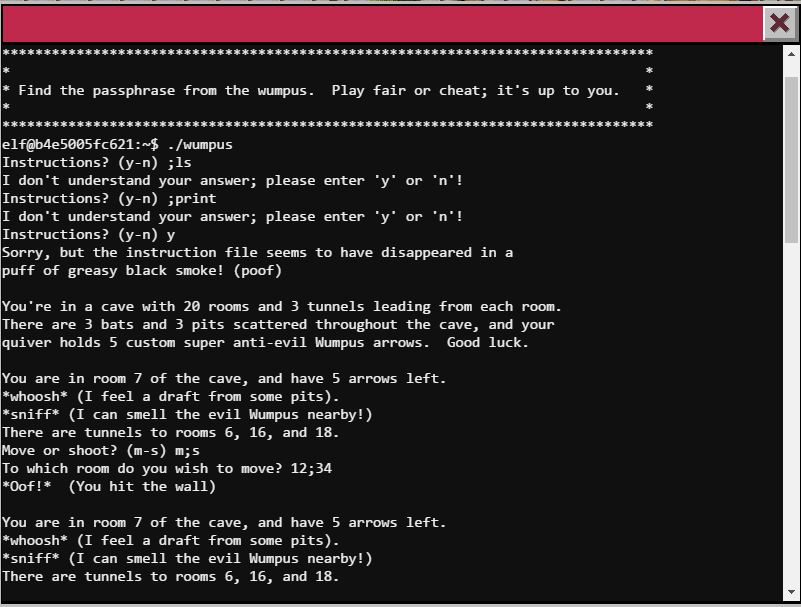
Randomness!!
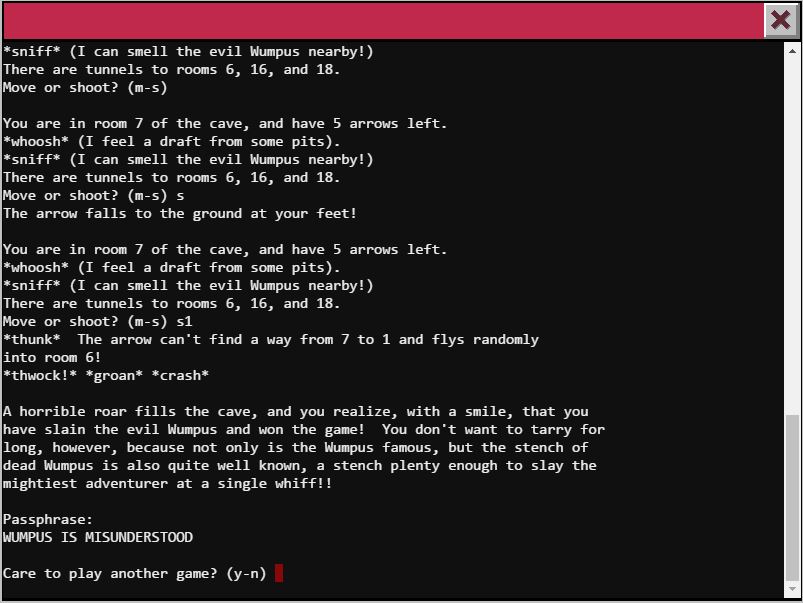
Lucky shot?!
I had so many plans, I even encoded the binary in base64 and downloaded it to take a closer look, maybe disassemble or look for strings… Oh well!
War Games
Found a video of the movie with the dialog, follow the dialog and don’t make any “mistak”
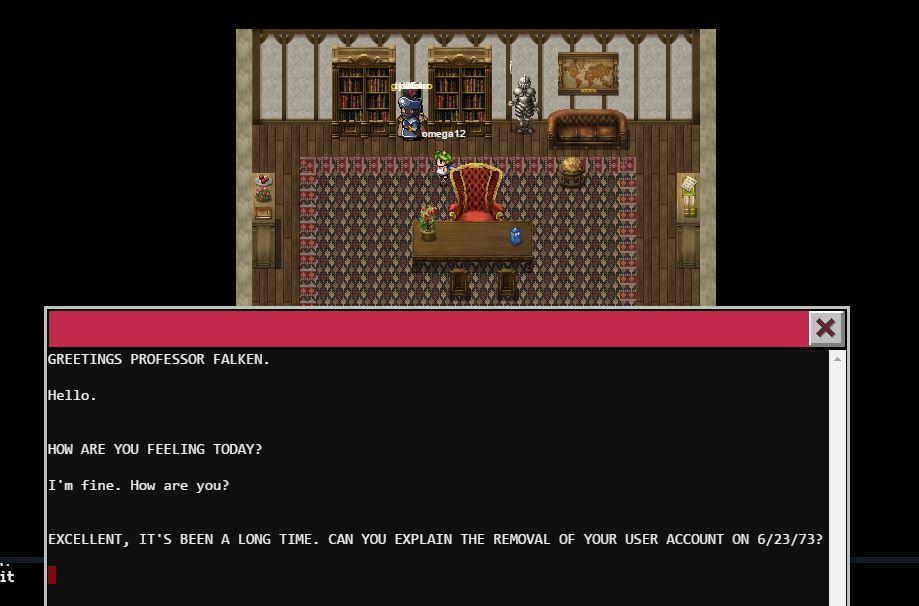
Greetings Professor Falken
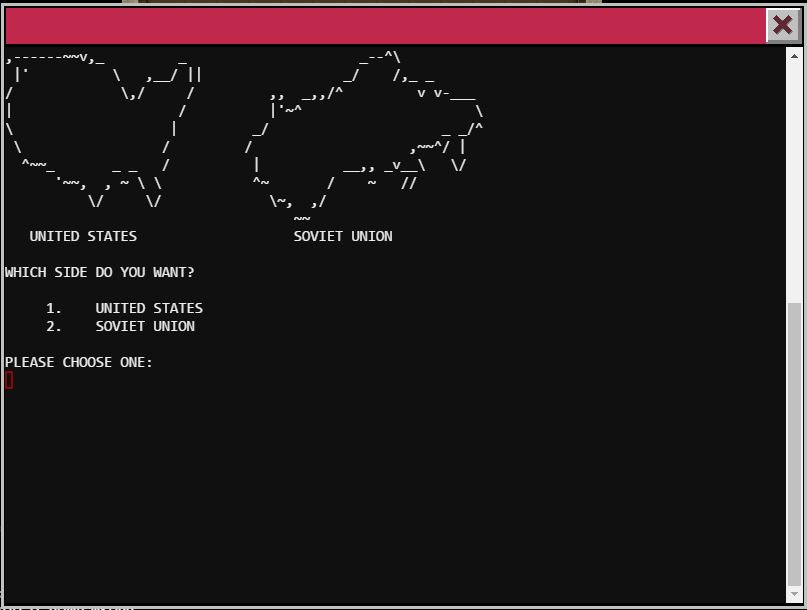
Playing Nuclear War
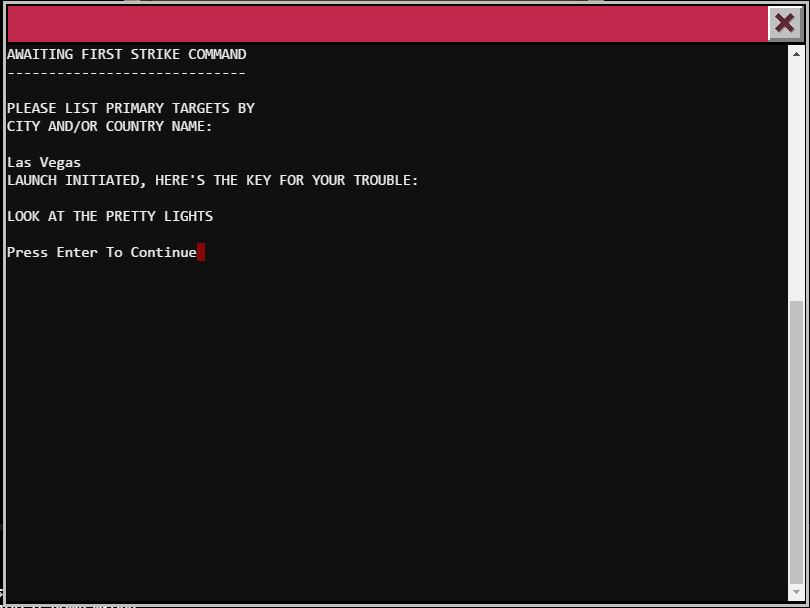
Look at the pretty lights
Time Traveling Train
I used the menu’s BRAKEOFF option first in case I had to move the train (didn’t have to), then I went to read the HELP, and I noticed it looked like it was using the ‘less’ command, so I tried using the feature to execute an external command and was able to get a BASH shell opened.
I found the ActivateTrain executable and ran it to traveled in time to 1978.
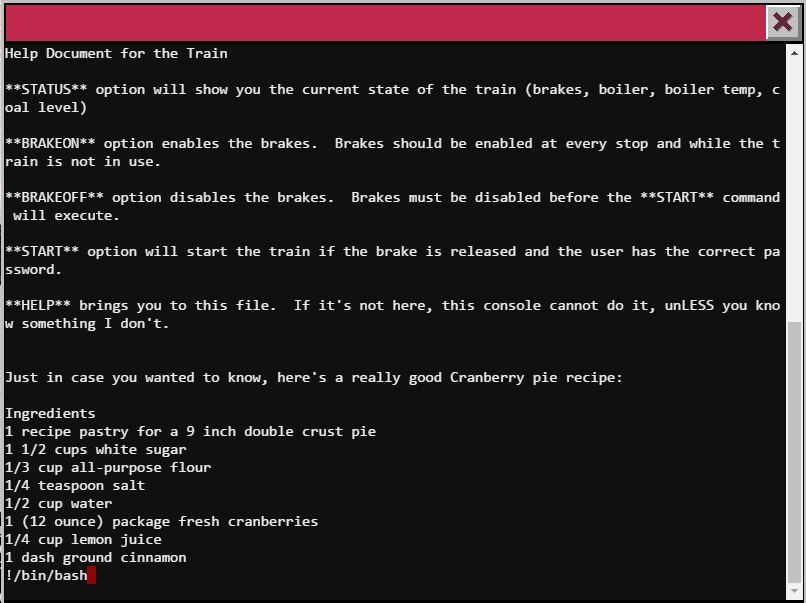
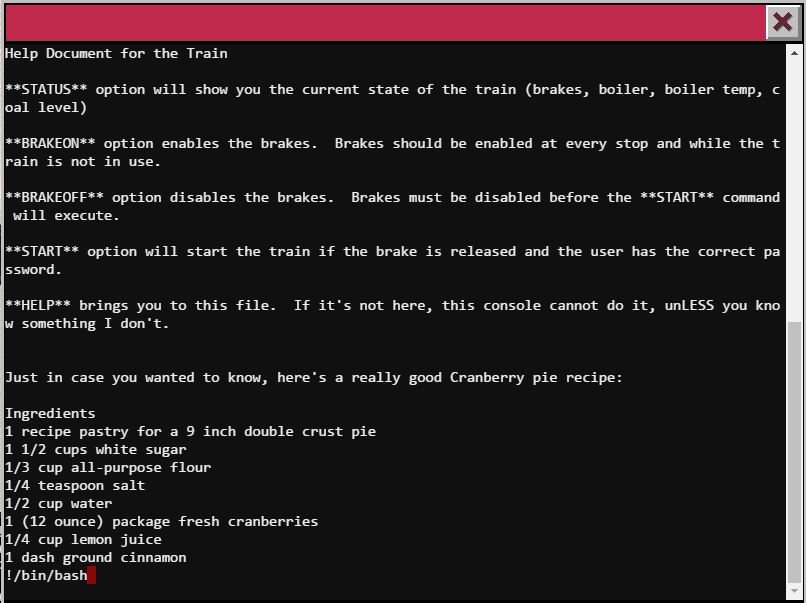
Less is more
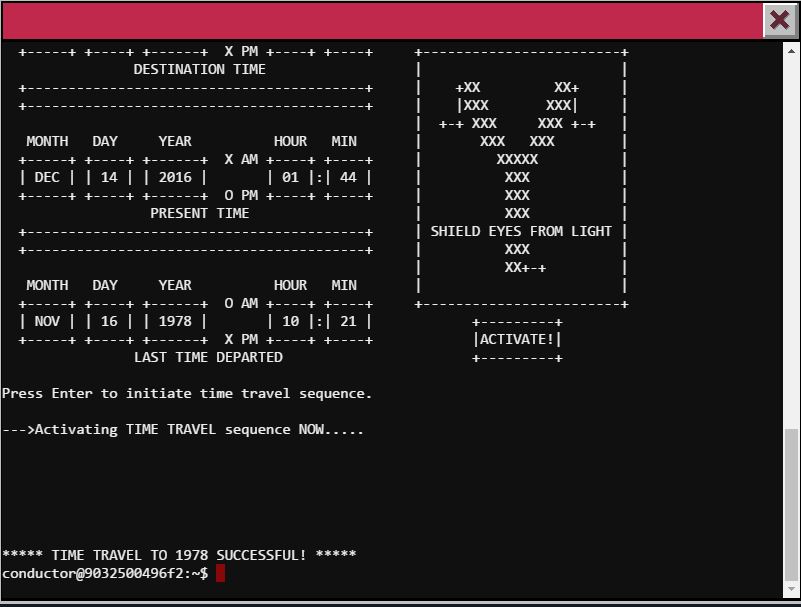
Time Travel to 1978 Successful
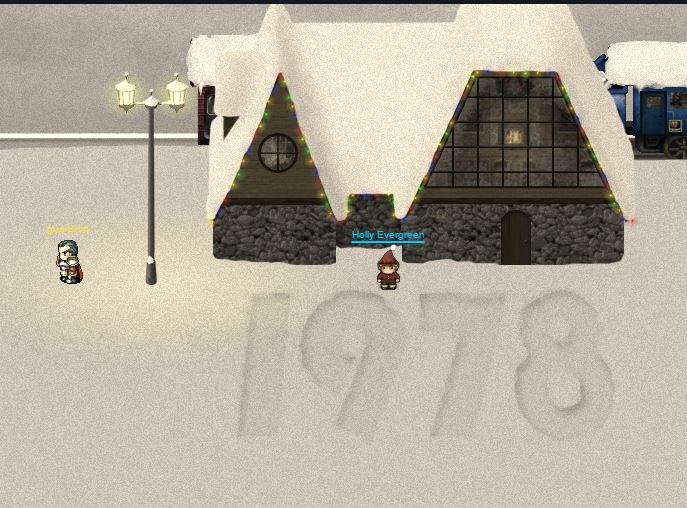
1978!
With all the doors with terminal opened I found Santa in the DFER room of 1978
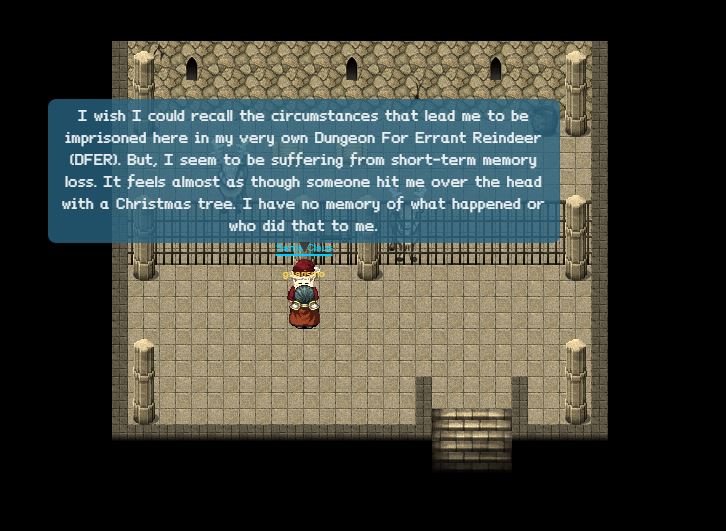
Santa found in DFER room of 1978
← Back to all posts